ReadMeliora

November 2026

November 15, 2026 v0.13.445 Latest

Sign in with Google

New
  • You can now log in or create an account with Google. Choose Continue with Google at the top of the log-in or sign-up page.
  • If you already have an account with the same email, Continue with Google signs you in to it, as long as you've confirmed that email.
  • Accounts made with Google don't need a password. To delete the account or change two-factor settings, you confirm with Google instead. You can still set a password in Settings › Account.
  • Google sign-in isn't in the Android app yet. If you signed up with Google, use Forgot password on the app's log-in page to make a password.
November 14, 2026 v0.13.435

Read EPUB books

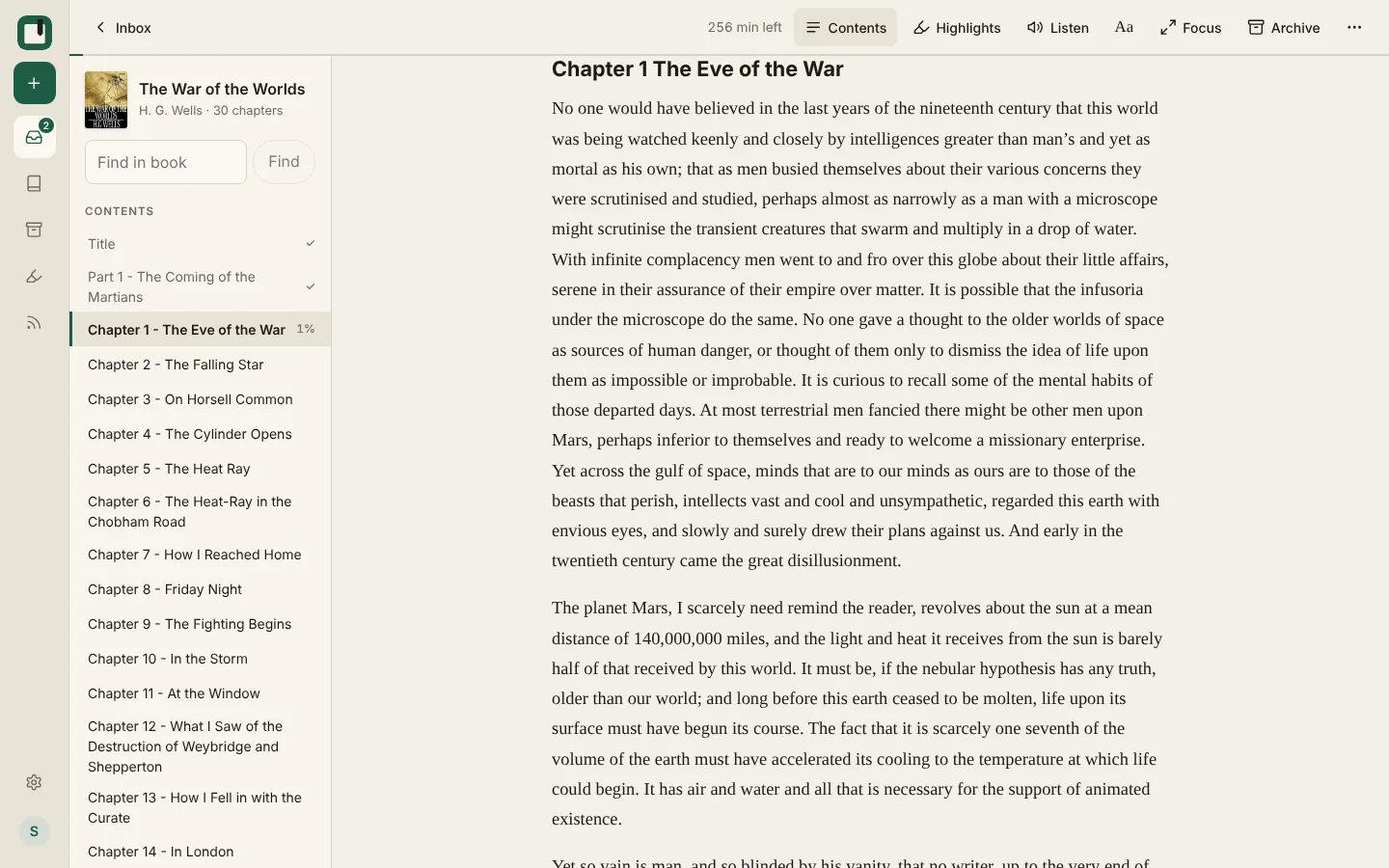
The War of the Worlds open in the reader, with the Contents list beside it showing the chapters read, the one being read at 1% and Find in book at the top
New
  • You can now save DRM-free EPUB books and read them in the reader. A book opens where you left off and loads the next chapter as you read.
  • Contents lists a book's chapters, with a tick for the ones you've read. It sits beside the text on a computer and opens from the bottom on a phone. Use Find in book at the top of it to look for a word or phrase.
  • Highlights, Listen and offline reading work in books too. Listen carries on into the next chapter.
  • Books have their own tab in your lists and show their cover. When you search, choose Search inside books to look through the text of your books.

November 11, 2026 v0.13.421

Fixes for exports and imports

Fixed
  • If an export gets cut off on our side, it now shows as failed within a few minutes so you can start it again. Before, it could look stuck for hours.
  • When the browser extension fills in an article from an import, that article comes off the import's list of links that couldn't be fetched.

November 9, 2026 v0.13.403

Fixes for viewing emails and reading offline

Fixed
  • The Email button on a saved email in your lists opens the email again. It used to stay on "Opening email…".
  • Offline reading now works on phones with an older browser.

November 8, 2026 v0.13.402

Natural voice changes in the browser and the Android app

Improved
  • Kokoro, the natural voice that runs on computers with a strong graphics chip, now asks our own server how each word sounds. Listen sends the text it's reading to our server, which works out the sounds and doesn't keep the text. When you open Listen on an article, it gets the sounds for the whole article, so it can still read that article if you lose your connection. Supertonic still works without sending any text.
  • In the Android app, the Kokoro voice is a smaller download: about 118 MB instead of 320 MB. Kokoro asks our server how words sound here too, and the app gets the sounds ahead of time for articles saved for offline reading, so those still play offline. Other articles use your phone's own voice when you're offline. This needs the latest version of the app.

November 5, 2026 v0.13.377

Exports with your highlights, and a calmer Focus mode

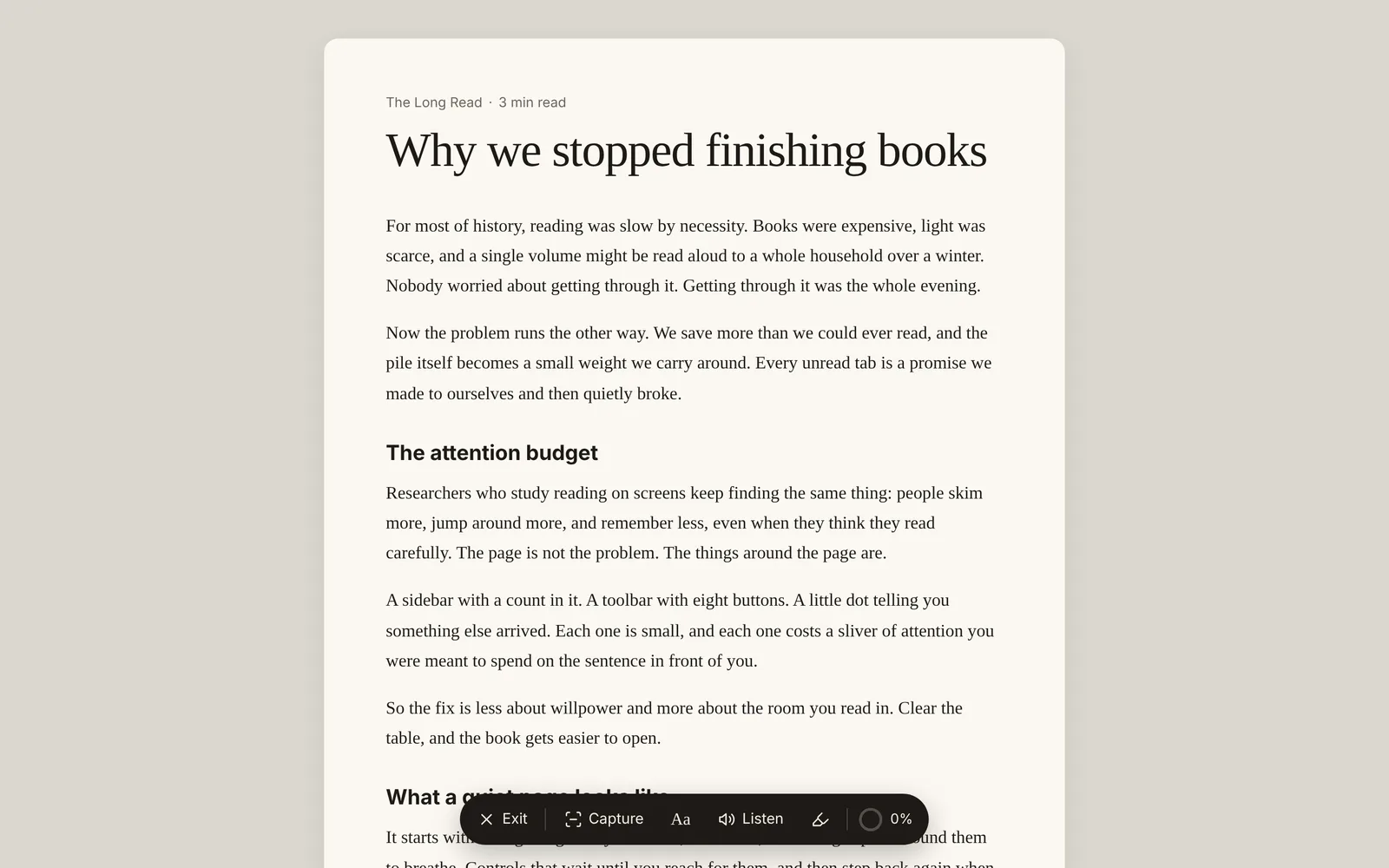
An article in Focus mode on a sheet of paper, with a dark bar of controls floating at the bottom: Exit, Capture, Aa, Listen, Highlights and 0%
New
  • Exports can now include your highlights inside each article. In Settings › Export, Markdown notes gives you one Markdown file per article with highlighted passages marked in the text and a Highlights list at the end, with your notes. The numbers link each passage to its note and back.
  • A new Offline reading (HTML) export saves each article as a web page that opens without internet, with pictures included. Choose Highlights at the top of a page to see your highlights and notes beside the text. Start from index.html to find any article.
Improved
  • The Markdown highlights export now includes highlights made on web pages and Supernote clips, one file per page.
  • Focus mode has a new look. The article sits on a sheet of paper, with one set of controls floating at the bottom: Exit, reading settings, Listen, your highlights and how far you've read. The controls move out of the way while you scroll down and come back when you scroll up or tap the page. On a phone, you can now reach Highlights and reading settings without leaving Focus mode.

November 4, 2026 v0.13.364

The Android app is nearly on Google Play, plus fetching from sites that block us and filtering by several labels

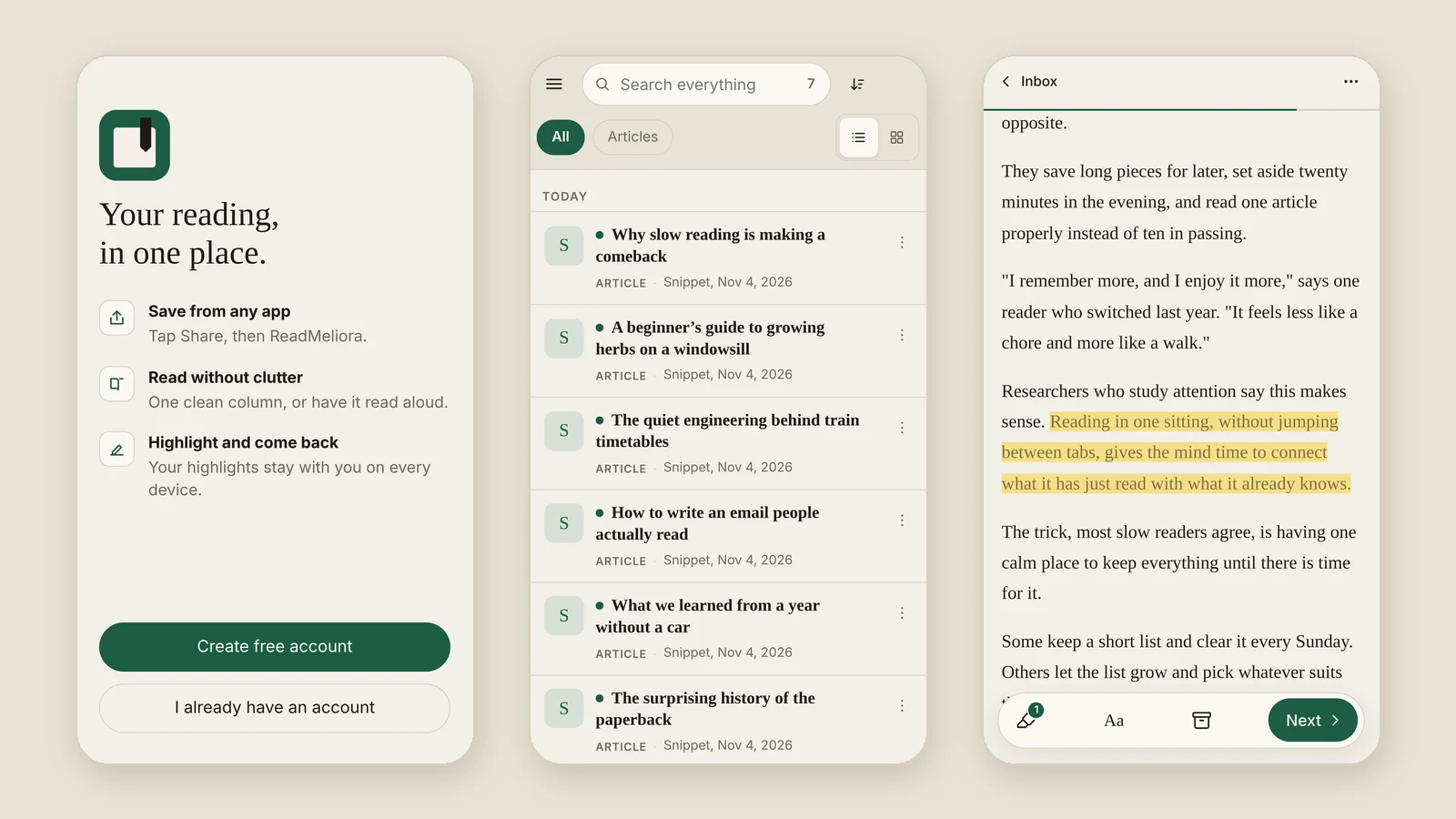
Three screens from the ReadMeliora Android app: the welcome screen, the Inbox and an article open in the reader
New
  • ReadMeliora has an Android app, and we're getting it ready for Google Play. Google asks that a new app is tested by at least 12 people for 14 days before it goes in the store. If you have an Android phone and would like to help, the Android app page in the help docs shows how to join. Testers get the app first and can leave the test at any time.
  • Some news sites block ReadMeliora's server, so their articles arrived as links without the text. Your own browser can usually still open them, and now the browser extension can fetch them for you: open it and press Fetch now. It asks which sites it may read, then fills in the waiting articles one page at a time. If a site shows a robot check the extension can't get past, it lists the page so you can open it yourself and press Fill in the article. Blocked articles from past imports are waiting too, and Settings › Import shows how many.
  • You can now filter a list by more than one label. Open a label, tap Filtering by, and tick the others you want. Choose All to see articles that have every label, or Any to see articles with at least one.
  • The Android app opens on a welcome screen when you're signed out.

November 3, 2026 v0.13.347

Labels from the right-click menu, and faster imports

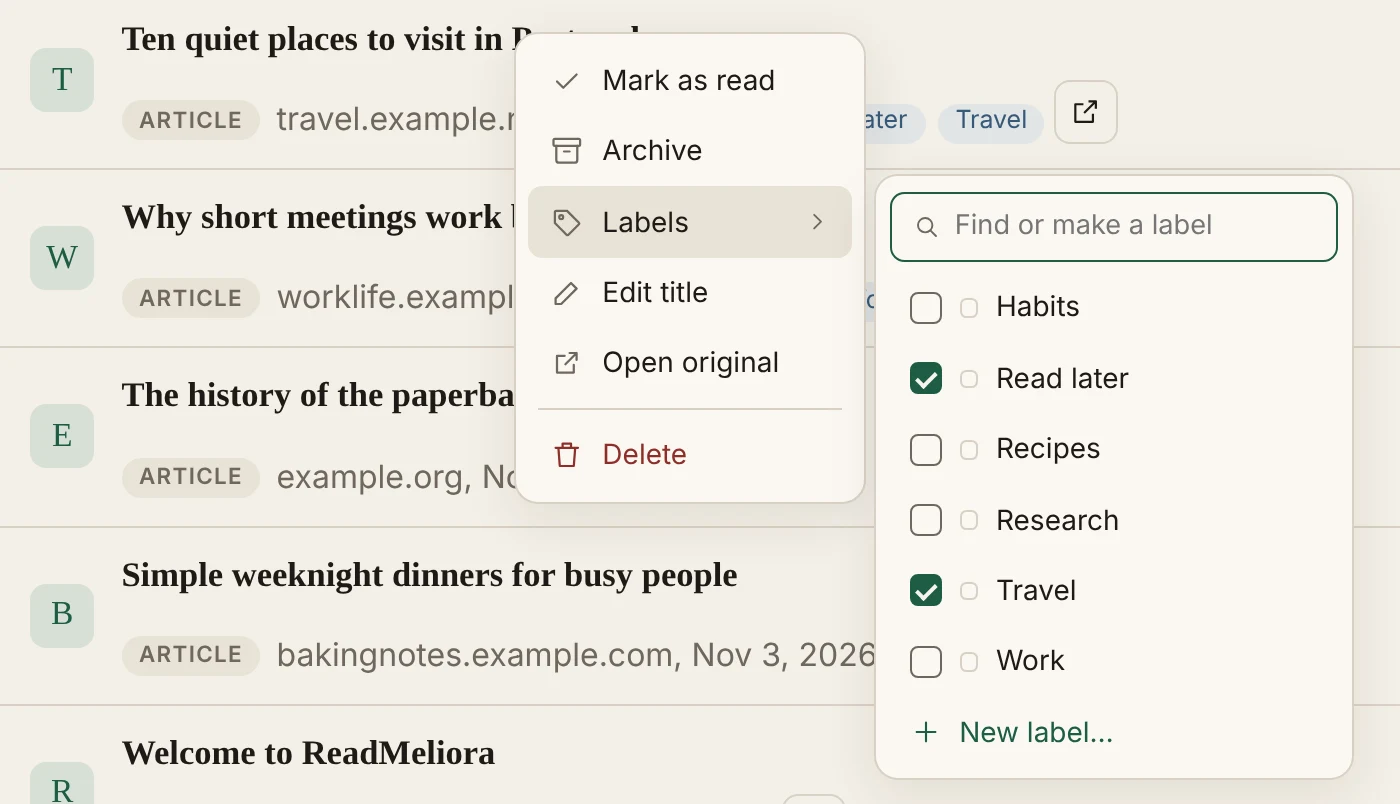
The right-click menu for an article, with its Labels list open beside it and Read later and Travel ticked
New
  • Right-click an article in your list to add or remove its labels. With several articles selected, it changes all of them. On a phone, tap ⋮ next to an article and choose Labels.
Improved
  • Big imports finish sooner. After an import, ReadMeliora now fetches several articles at once, so one slow site no longer holds up the rest. It still waits between visits to the same site.
  • During imports, ReadMeliora now tells each site who it is, follows the site's rules for apps, and slows down if a site asks.
  • Very large news pages, like many CNN articles, now save.

November 2, 2026 v0.13.299

A more natural voice for Listen (experimental)

New
  • When the natural voice comes from our voice server, Listen makes the speech ahead of time and saves it on your device. Playing an article again is instant, and it works offline. For an article longer than 30 minutes, Listen asks once whether to make it all now or 30 minutes at a time. Archiving or deleting the article removes its saved speech, and Settings › Storage shows how much space it takes.
  • Listen can now read in a natural-sounding voice. It's experimental, so it may sound wrong or stop working on some devices. If it does, tell us through the support chat. Turn it on from the Listen player or under Settings › Storage. When your device makes the voice itself, it downloads once and then works offline, and no article text or audio leaves your device. English articles only. Firefox on a computer does not work reliably with Listen yet, so we suggest another browser there for now.
  • Pick from several natural voices in a drop-down. Your choice follows your account to other devices, and the Android app has the natural voice too.
  • On a computer, Settings now opens on an overview that shows where things stand, such as whether two-step sign-in is on, how much of this month's storage you've used, and how many feeds you follow. Click a tile to open that section. On a phone, the Settings list shows the same under each item.

November 1, 2026 v0.13.199

PDFs you can read on a phone

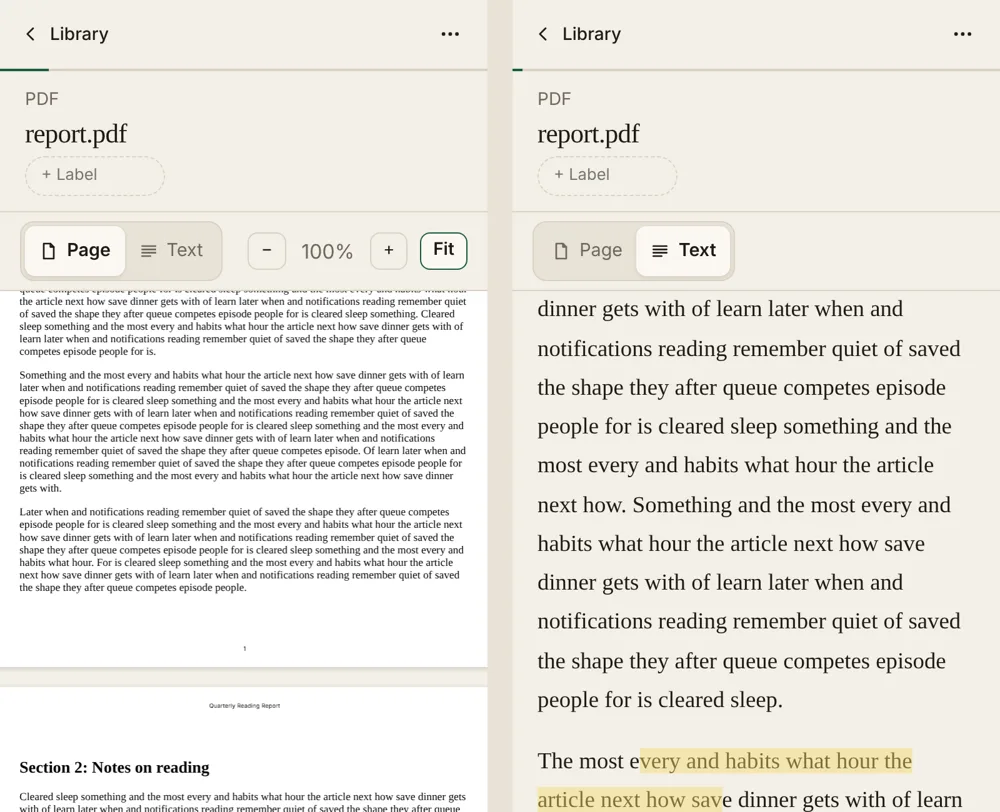
The same PDF on a phone twice: as a page with tiny text, and in Text view with large, easy-to-read words and a highlight
New
  • PDFs are much easier to read on a phone. A PDF that's mostly text now opens in Text view, which shows its words like an article, in the font and size you pick under Aa. Tap Page to see the real pages, with pictures and tables. Your choice is remembered for each PDF.
  • Zoom in on PDF pages. Pinch with two fingers on a phone, or use the − and + buttons, and tap Fit to go back. On a phone, Fit leaves out a text PDF's empty side margins, so the words are bigger.
  • A cookie bar now asks before we use analytics cookies. Pick Accept all, Reject all, or Customize. You can change your mind any time from Cookie settings at the bottom of the home page, or Cookies in the app's settings menu. Support chat works whichever you choose.
  • New accounts are asked once how they found ReadMeliora. It's optional, and one tap skips it.

October 2026

October 31, 2026 v0.13.177

Highlighting on phones

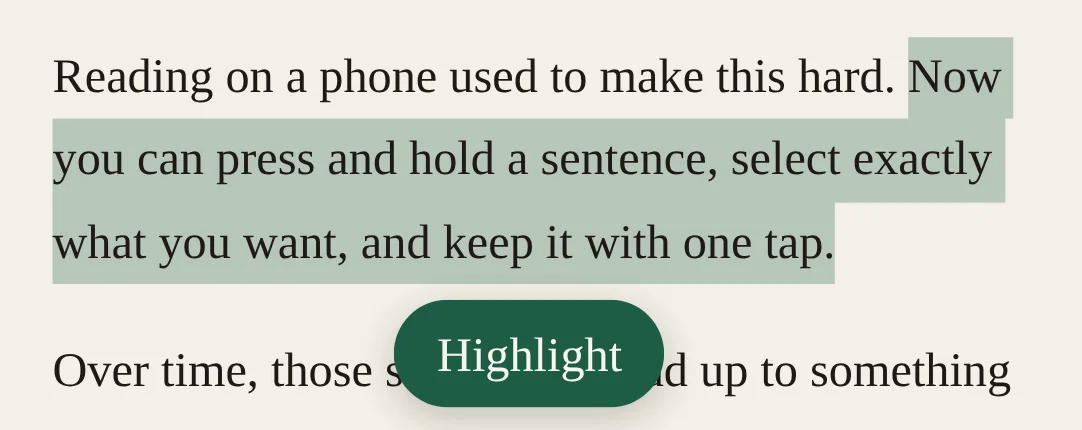
A sentence selected in an article on a phone, with a green Highlight button just under it
Improved
  • Keyboard shortcut hints are no longer shown on phones and tablets, where there's no keyboard to use them.
Fixed
  • Highlighting now works on phones and tablets. Press and hold to select some text, then tap the Highlight button that appears under it.
  • On phones, the box for adding a note to a highlight no longer runs off the side of the screen, even with large text turned on.
  • The table of contents at the top of some articles, such as WordPress recipes and patterns, was saved as a list of blank bullets. It now keeps its words, and tapping an entry jumps to that part of the article. Save the page again to fix an article you already have.

October 30, 2026 v0.13.153

Labels your way

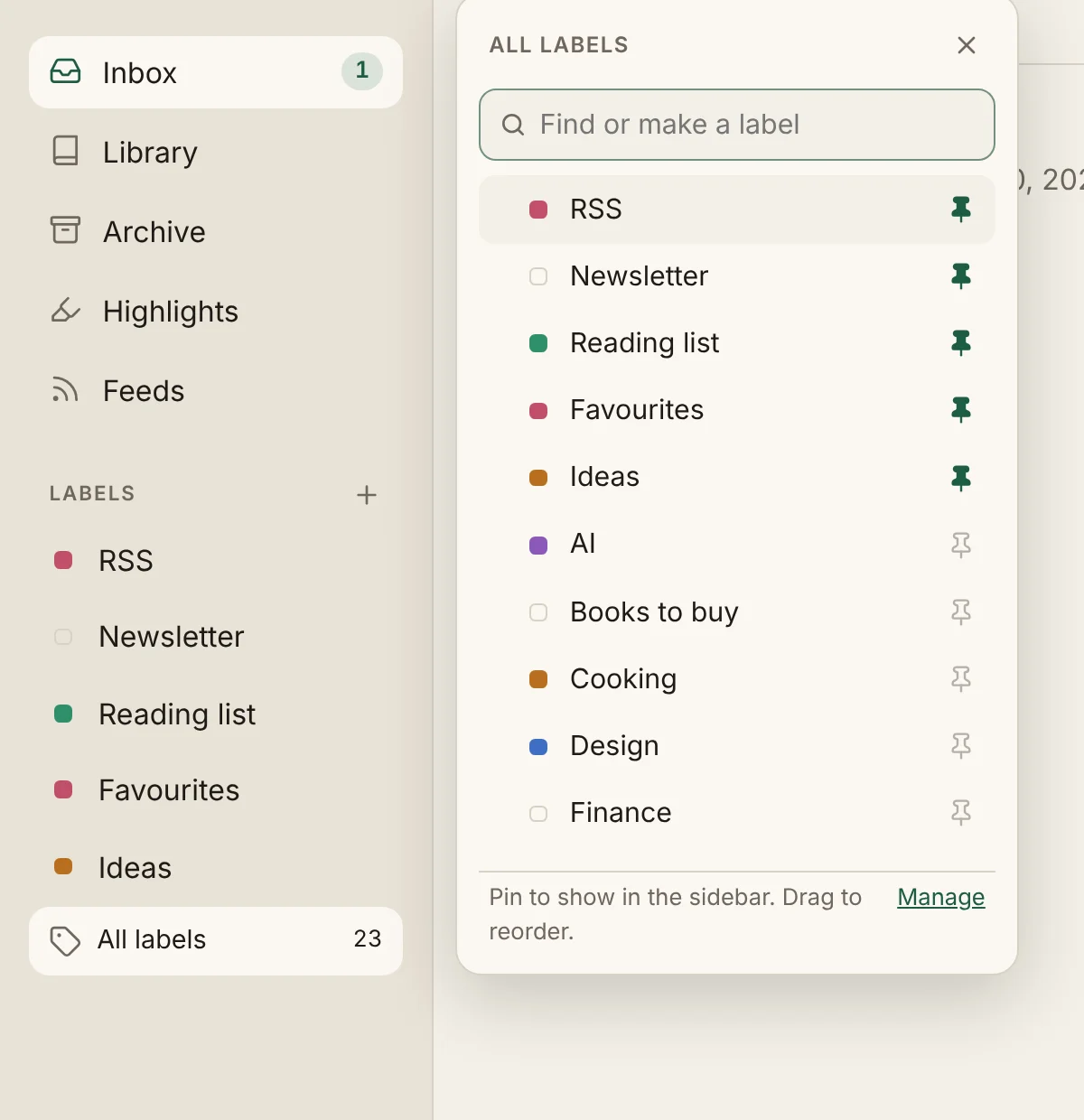
Pinned labels in the sidebar, with the All labels list open beside it showing pins for each label
New
  • Pin the labels you use most to the sidebar. All labels, under them, lists every label: find one, make a new one, or pin it.
  • Put your labels in any order. Drag one label onto another in the sidebar, or drag by the handle in All labels. It works on phones too.
Improved
  • A simpler Save pop-up. One box for the link, with a Paste button. Uploading a file, or adding a title or note, is one click away. On phones it opens from the bottom of the screen.
  • Links inside an article now open in a new tab, so you don't lose your place.

October 28, 2026 v0.13.125

Cleaner PDF highlights

A highlight that runs from the end of one paragraph into the next, shown with a space between them in the highlights panel
Fixed
  • A highlight that runs across a line break in a PDF, or across two paragraphs, no longer joins the words on either side. Older highlights with this problem are fixed the next time you open them.

October 27, 2026 v0.13.117

Rediscover old saves

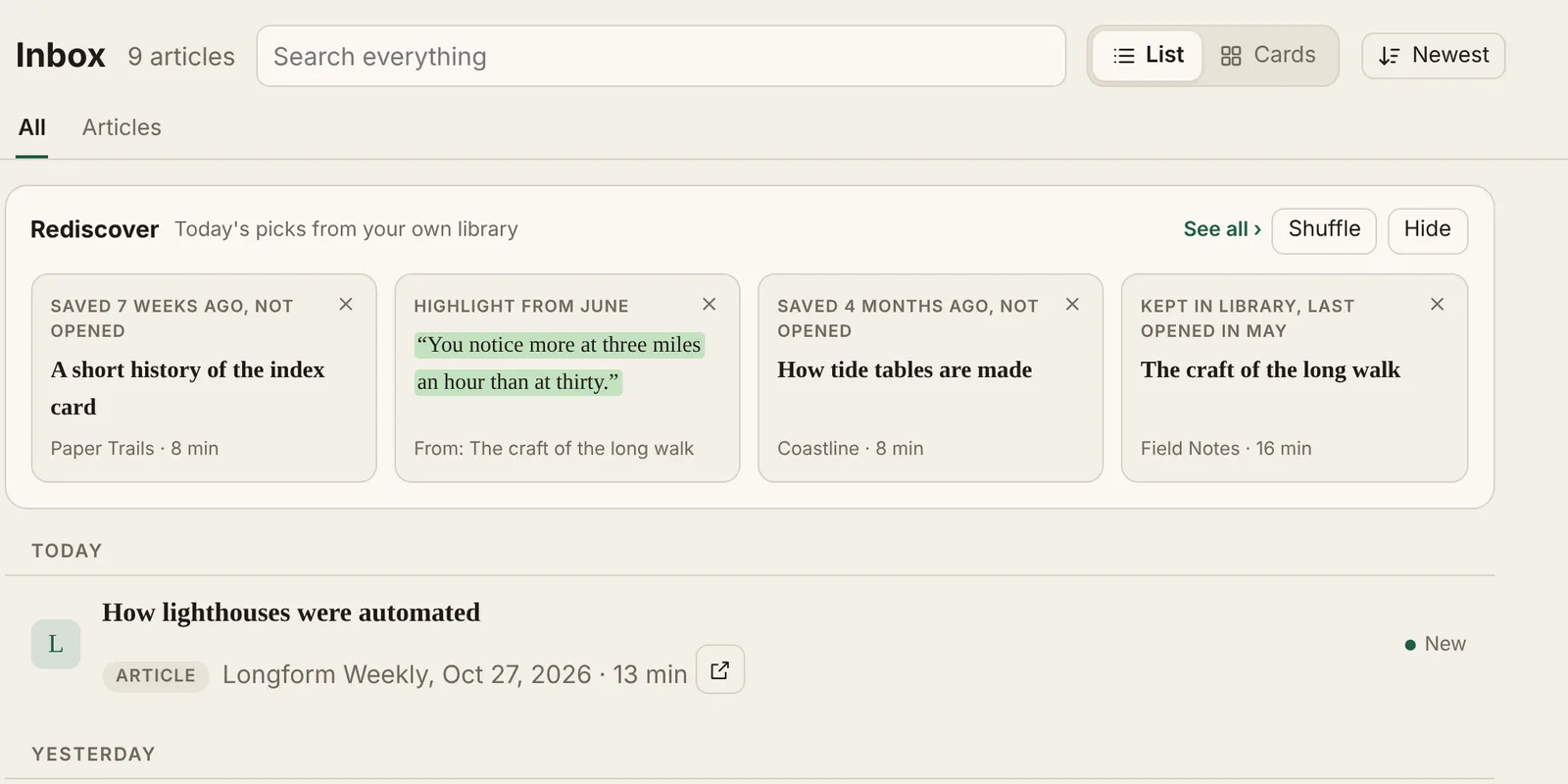
Rediscover picks at the top of the Inbox
New
  • Rediscover. A few old saves you never opened, highlights from past reading, and Library articles you haven't opened in a while now show up at the top of your Inbox, with a new set each day. Press Shuffle for another set, See all for the full Rediscover page, or the × on a pick to rest it for 90 days, never show it again, or archive it.
Improved
  • Hide folds Rediscover down to a single row. To turn it off completely, use Settings › Account. Rediscover is free while ReadMeliora is in beta.

October 26, 2026 v0.13.113

A clean reading view for emails

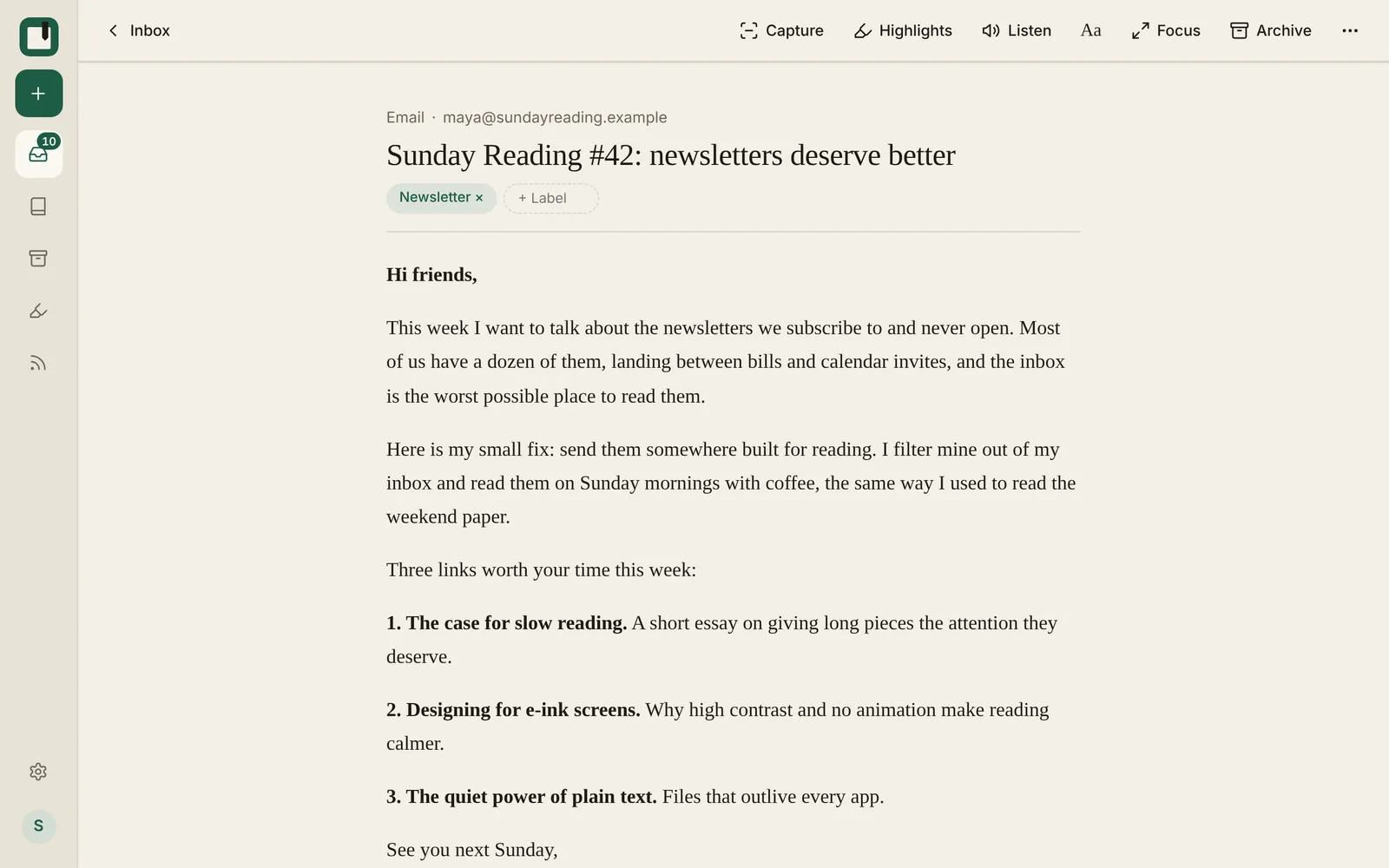
A newsletter in the clean reading view
New
  • Emails now open in a clean reading view without the clutter, and a new Original design switch shows them as the sender designed them. Forwarded emails show just the original email, and pictures in emails are now kept.
Improved
  • Emails start sooner, with a smaller header, and forwarded emails no longer show your signature at the top. If an email doesn't look right, you can send it to us right from the email and we'll fix it.
Fixed
  • Emails forwarded from Outlook sometimes showed up as a single broken picture instead of the email.

October 25, 2026 v0.13.99

Discover new feeds

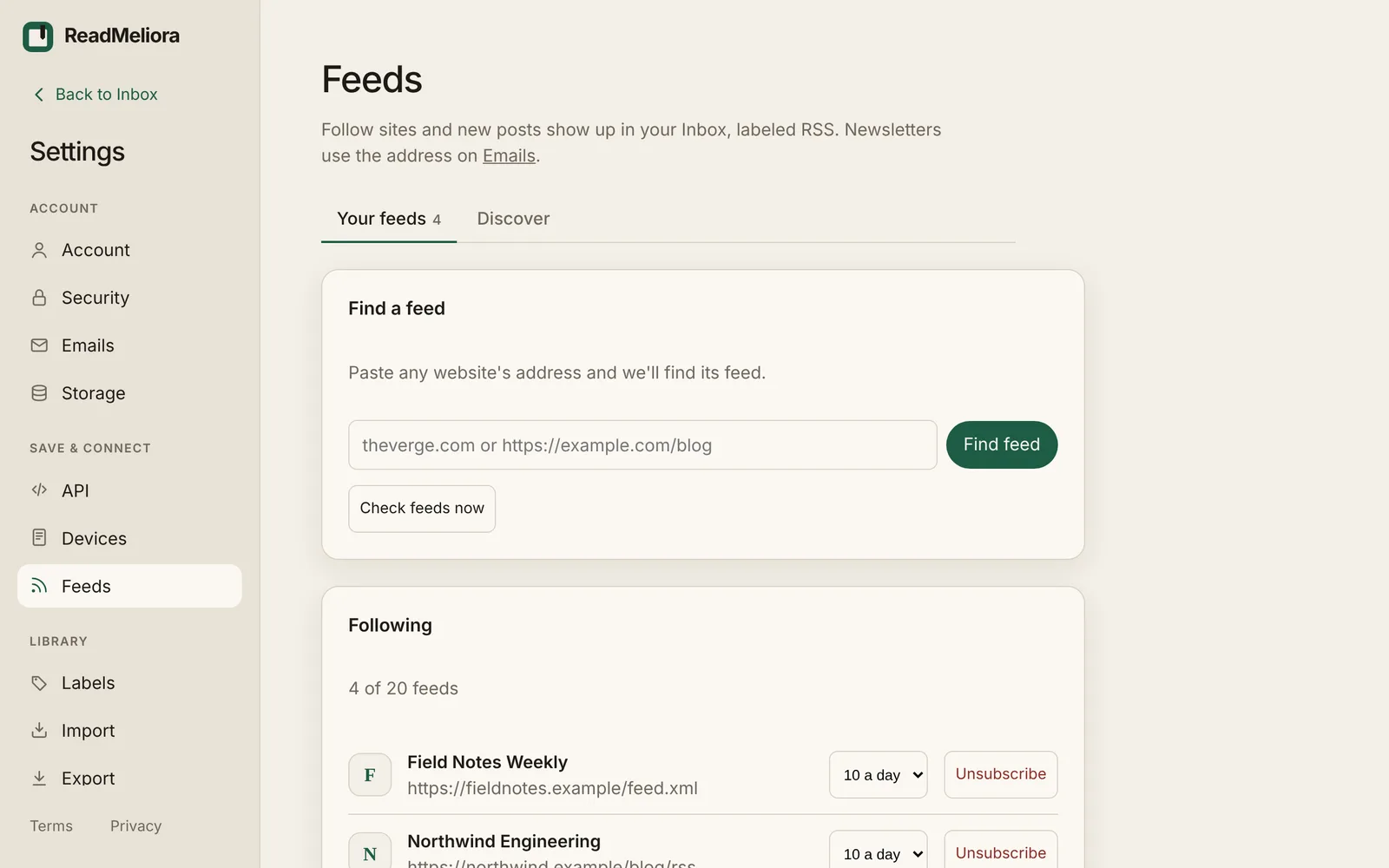
The Feeds page in Settings
New
  • Feeds has a new Discover tab: browse feeds by topic or news by country, see suggestions based on the sites you save from most, and preview any feed before you subscribe. You can also paste a site's address in Your feeds and ReadMeliora finds its feed.
  • You can now let support into your account for 7 days from Settings › Account, and see every visit there.
Improved
  • Each feed now has a daily limit (10 posts by default, change it any time) so a busy feed can't flood your Inbox. When you add a feed you can also bring in a few of its earlier posts.
  • On free accounts, feeds are checked while you're using ReadMeliora, you can follow up to 20 feeds, and posts from feeds are removed after 30 days unless you keep or highlight them.

October 24, 2026 v0.13.85

YouTube transcripts and search everywhere

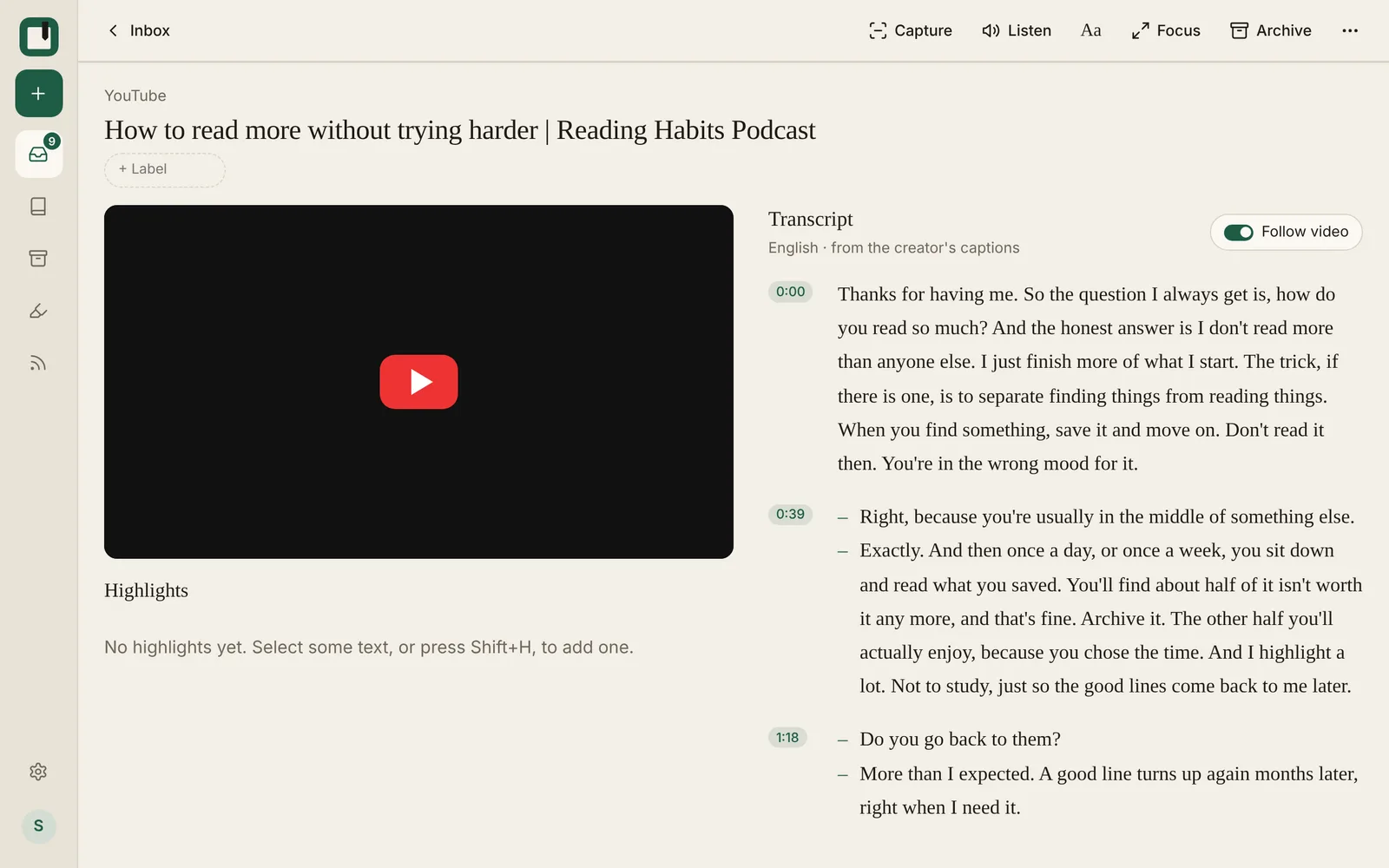
A YouTube video with its transcript beside it
New
  • YouTube videos saved through the browser extension now come with their transcript. It sits beside the video, follows along as it plays, starts each new speaker on their own line, and you can tap any line to jump there. You can also choose which language's transcript to save.
  • The browser extension has a new Labels box: type to find a label, press Enter to add it, or create a new one right there. Your recent labels are one tap away.
  • Search now looks through your Inbox, Library and Archive at once, including your highlights and their notes, and shows the passages that matched. Tap a passage to open the article or PDF right at that spot.
Improved
  • Connecting the browser extension now takes one click: choose Connect in the extension, then Allow in ReadMeliora. No more copying your API key by hand.

October 23, 2026 v0.13.70

Two-step sign-in from day one

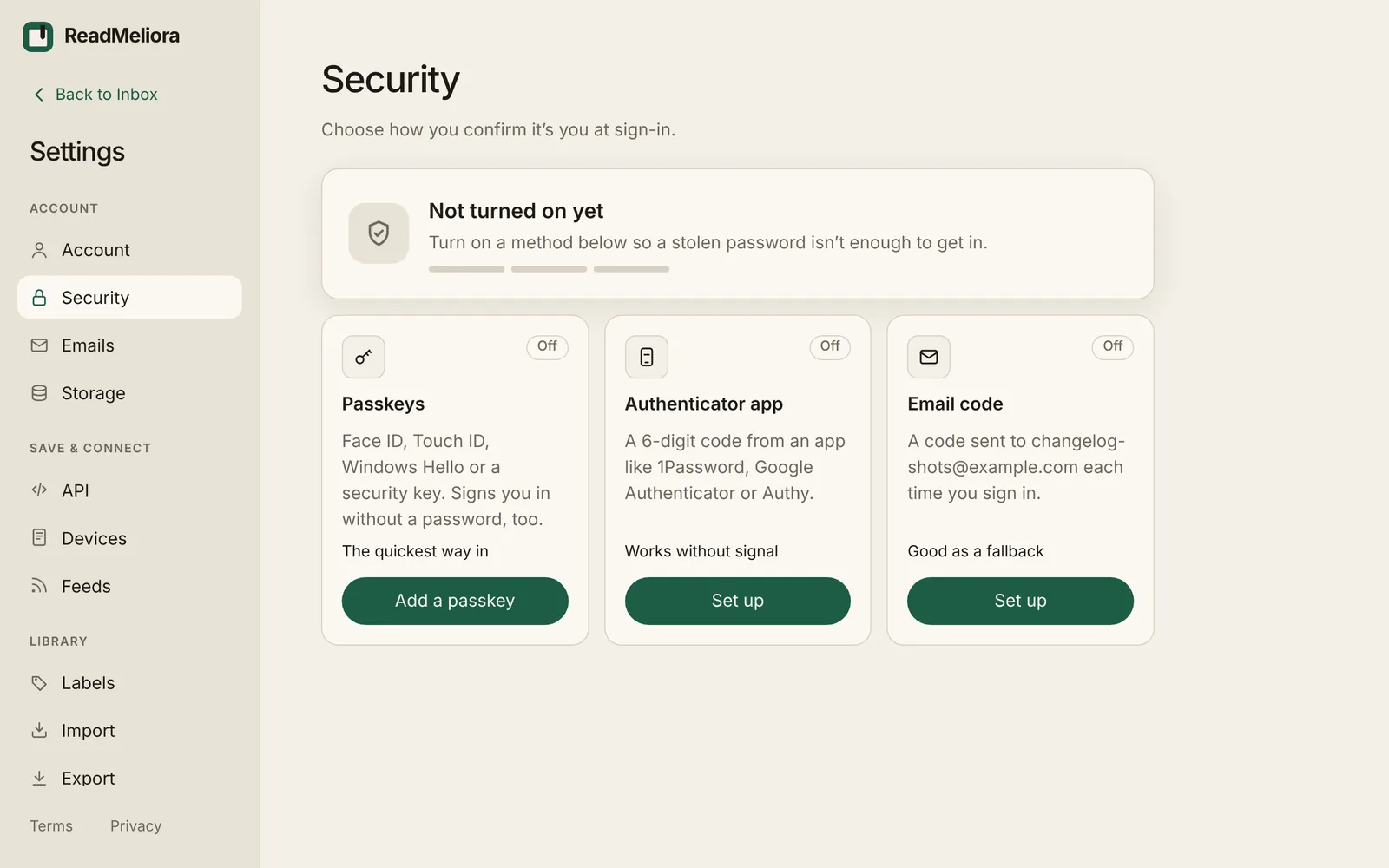
The second step options in Settings › Security
New
  • New accounts can now set up two-factor sign-in right after confirming their email, with a reminder a week later if they skip it.

October 22, 2026 v0.13.58

Choose your emails at sign-up

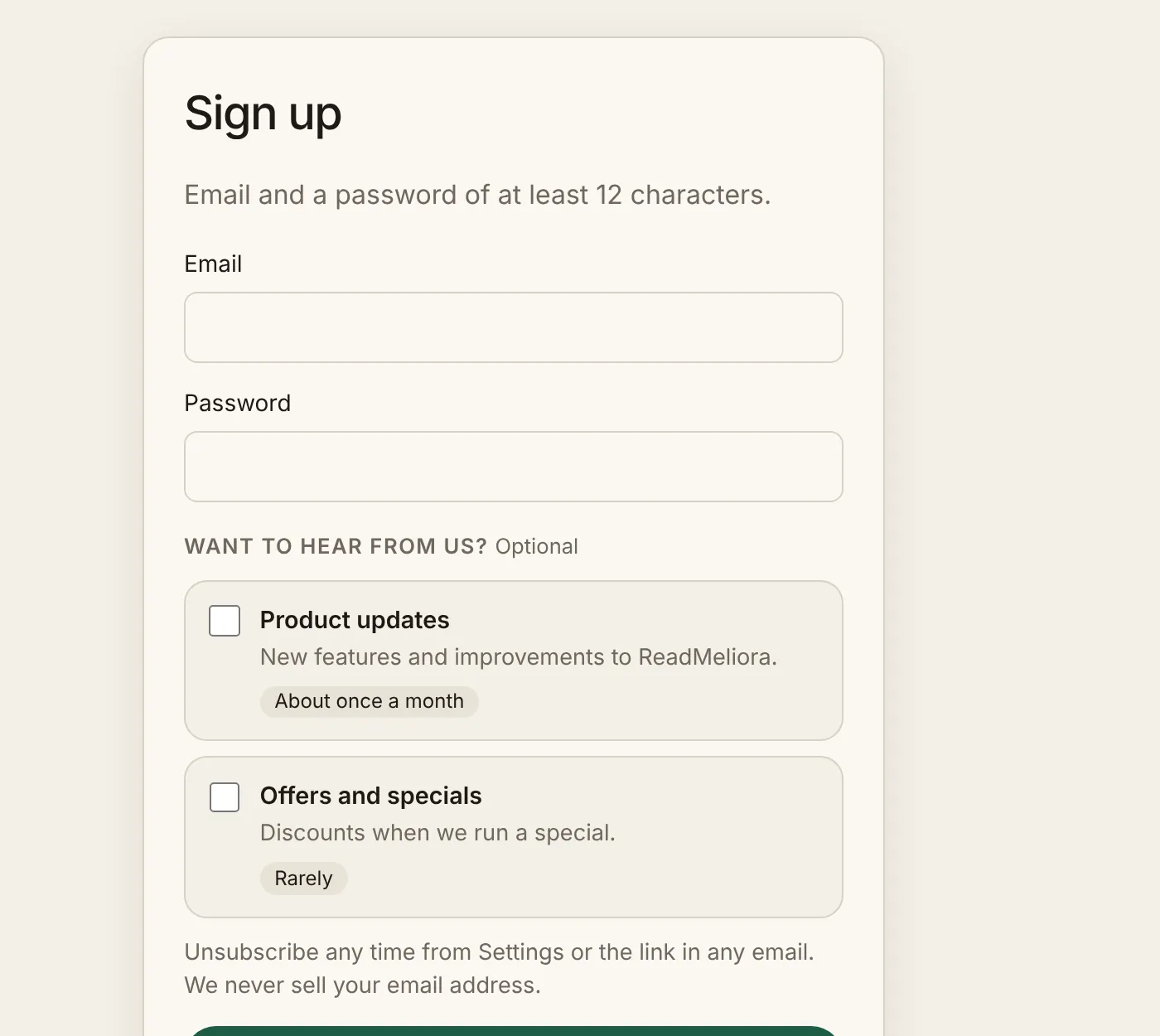
The sign-up form with optional product updates and offers
New
  • When you sign up you can choose to get product updates and occasional offers by email. Both are off unless you tick them, and you can change them any time in Settings › Account.

October 20, 2026 v0.13.49

Better offline reading

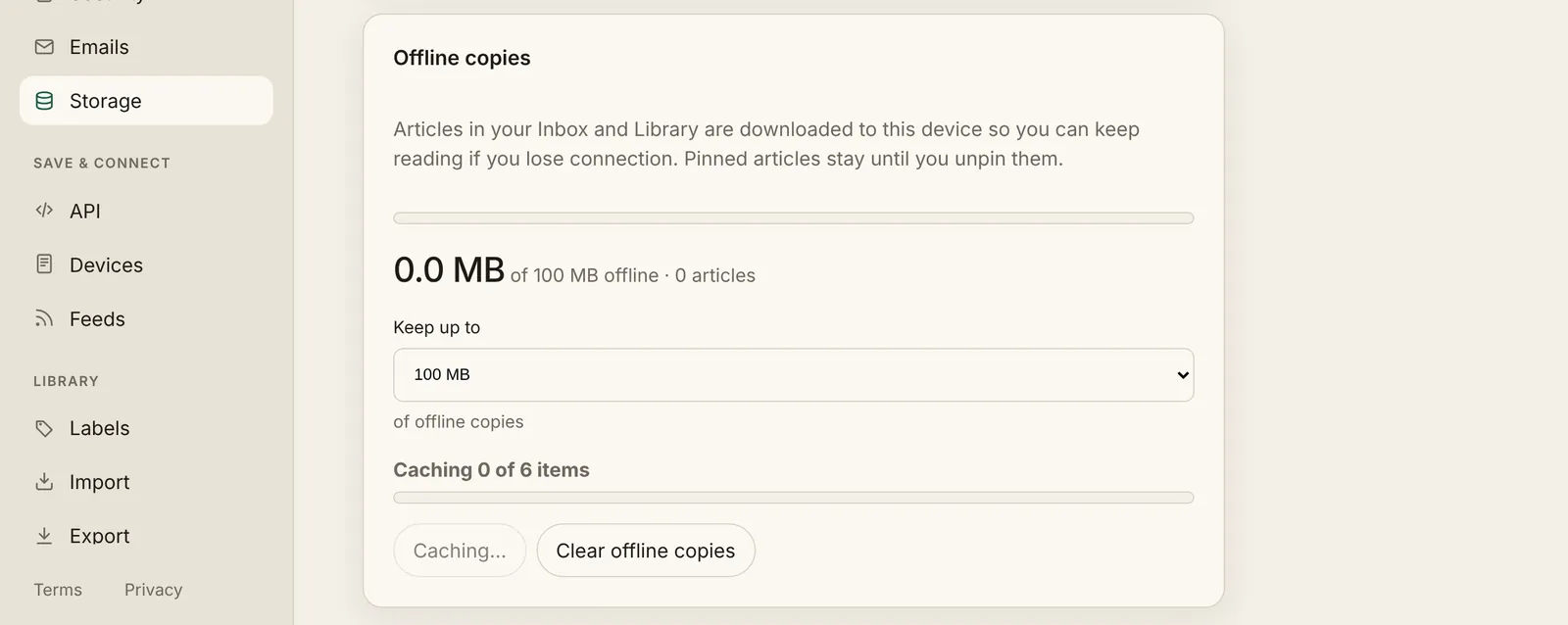
Offline copies in Settings › Storage
Improved
  • ReadMeliora now opens without a connection and shows your offline copies, instead of an error page.
  • Offline copies now fill the space you choose in Settings › Storage, and you can see how many items are left to cache. Clear offline copies keeps them off until you choose Rebuild. PDFs open offline, and saved links to PDFs open in the PDF reader.

October 19, 2026 v0.13.36

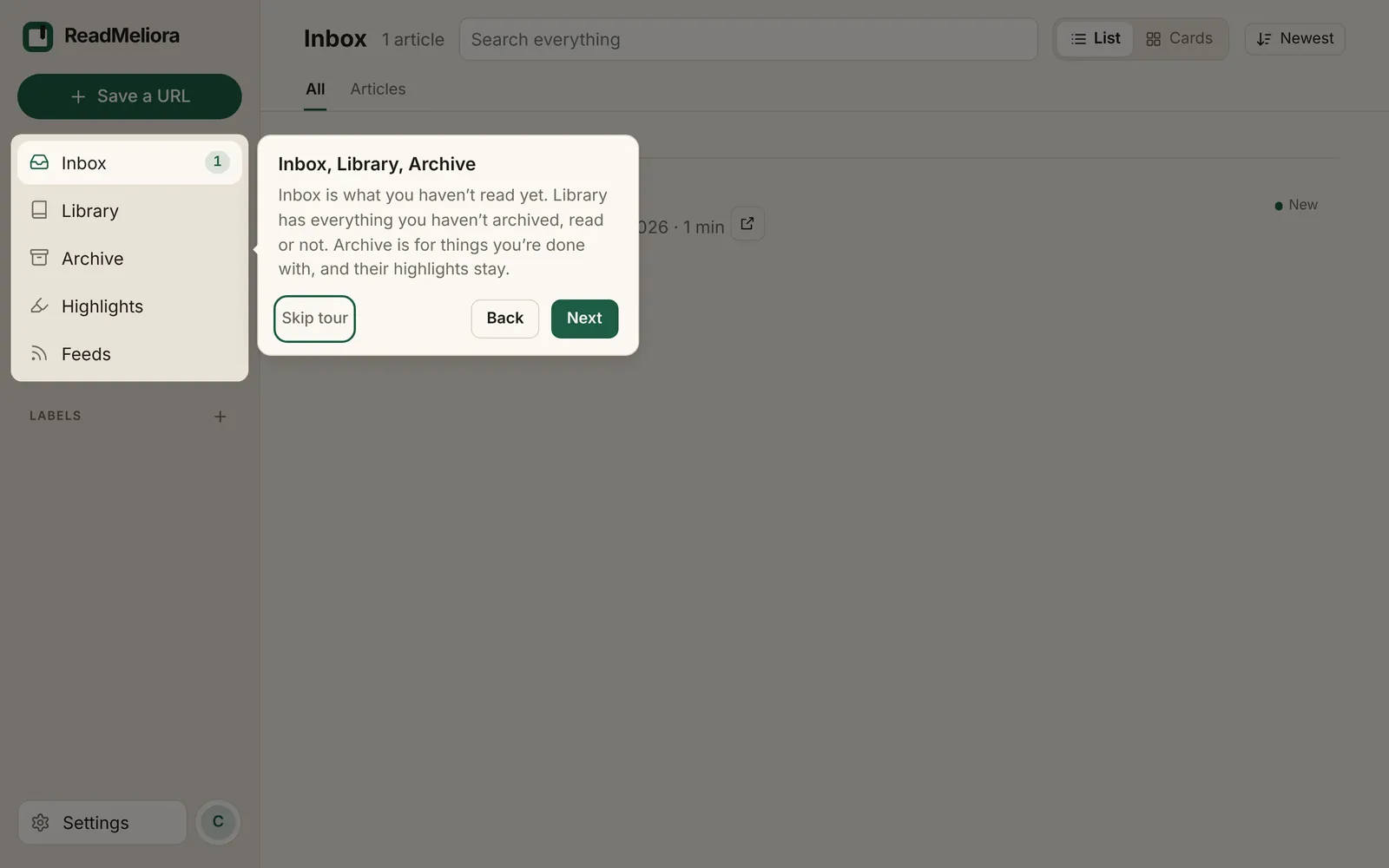
A tour for new accounts

A step of the tour pointing at Inbox, Library and Archive
New
  • New accounts get a short tour of the app the first time they sign in, plus a Welcome article in the library. You can take the tour again any time from Settings › Account.
  • Blog posts now have a cover image, on the blog page, at the top of each post and when you share a link.

October 18, 2026 v0.13.23

Import from other apps, and two-step sign-in

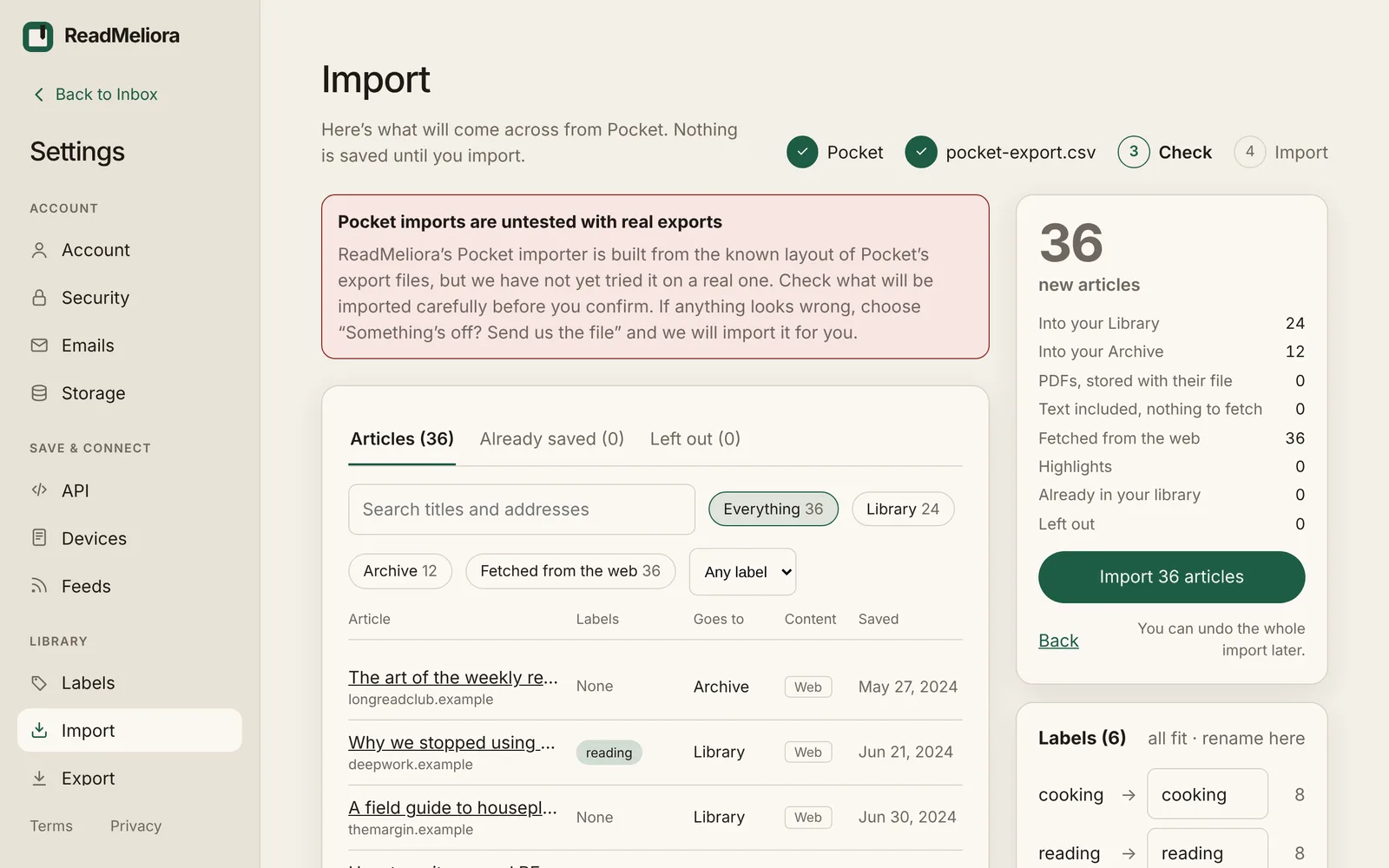
The Import preview showing what will come across
New
  • Import your library from Pocket, Omnivore, Instapaper, Readwise Reader, Raindrop, Wallabag, Linkwarden or your browser's bookmarks, in Settings › Import. Tags and folders become labels, and archived and read status, saved dates and highlights come across where the export has them.
  • You can now ask for a second step when you sign in, in Settings › Security: a passkey, a code from an authenticator app, or a code by email. Turn on any mix of them, and you get 10 backup codes for when you can't use them.
  • Passkeys can also sign you in on their own, without your password: choose Sign in with a passkey on the log-in page.
Improved
  • If adding a passkey asks you to sign in again, a Log in again button now takes you straight there and back to Settings › Security.

October 17, 2026 v0.13.3

Listen to articles, and a new Highlights page

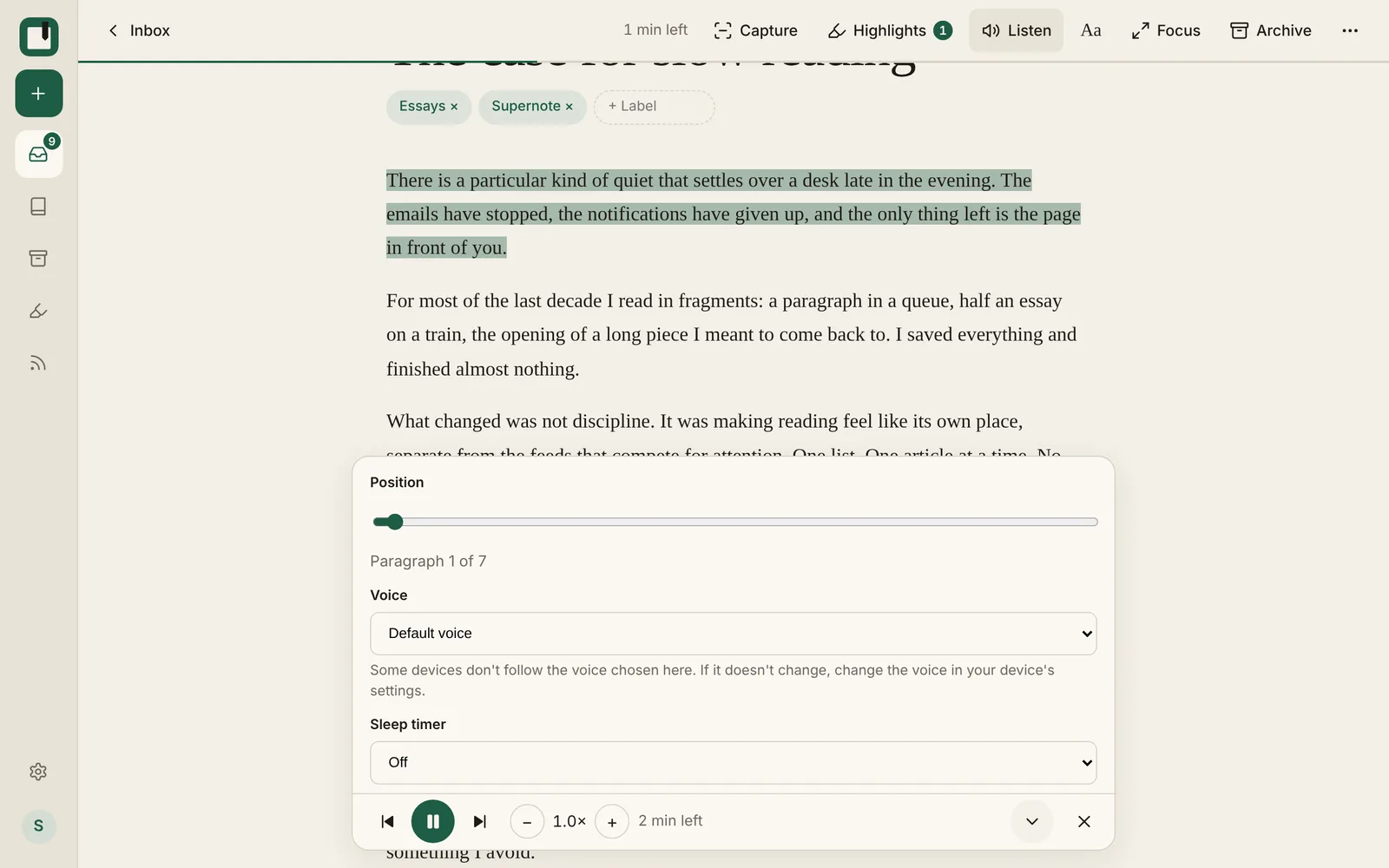
The Listen bar open in the reader
New
  • Listen to articles, newsletters and PDFs. Press Listen in the reader (or L) and your device reads aloud, marking the paragraph and sentence as it goes.
  • New Highlights page. Each highlight is a card in the reading font and its highlight colour, with its note, its tags and a “From:” link to the article. Edit, open and delete are in one menu.
Improved
  • The Listen bar has play and pause, previous and next paragraph, speed from 0.5× to 3×, a voice picker, a sleep timer and a position slider. Speed and voice are remembered on each device.
  • Listen remembers where you stopped, on any device. If you've scrolled away, it asks whether to resume or start from where you are.

October 16, 2026 v0.12.0

Supernote sync

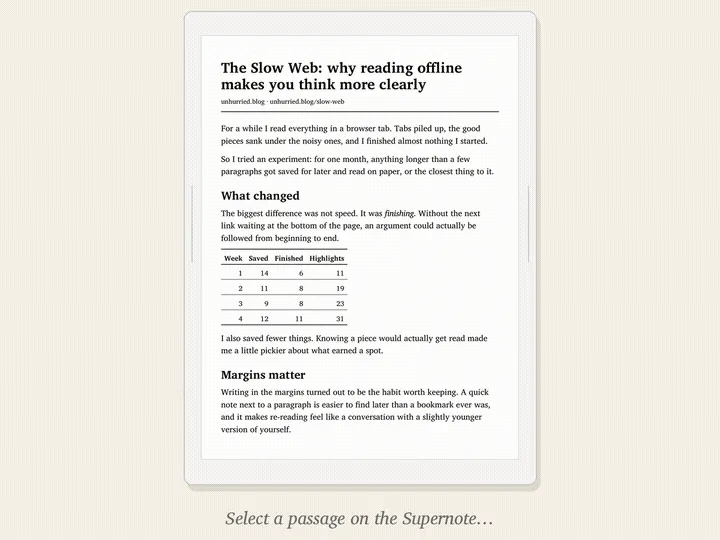
An article on a Supernote screen
New
  • Pair a Supernote Manta or Nomad under Settings › Devices. Your articles sync to it as PDFs sized for its screen, and you can rename or remove it there.
Improved
  • Tables in articles sent to a Supernote are laid out as proper grids.
  • Highlights you make on a Supernote show up in the right place in the article or PDF.
  • The sidebar logo now matches the browser tab icon.

October 14, 2026 v0.11.28

Tables that keep their shape

Fixed
  • Tables in saved articles keep their grouped headers, so column titles sit over the right columns.
  • Wide tables scroll sideways instead of squeezing numbers into broken pieces.

October 13, 2026 v0.11.27

A new reader layout

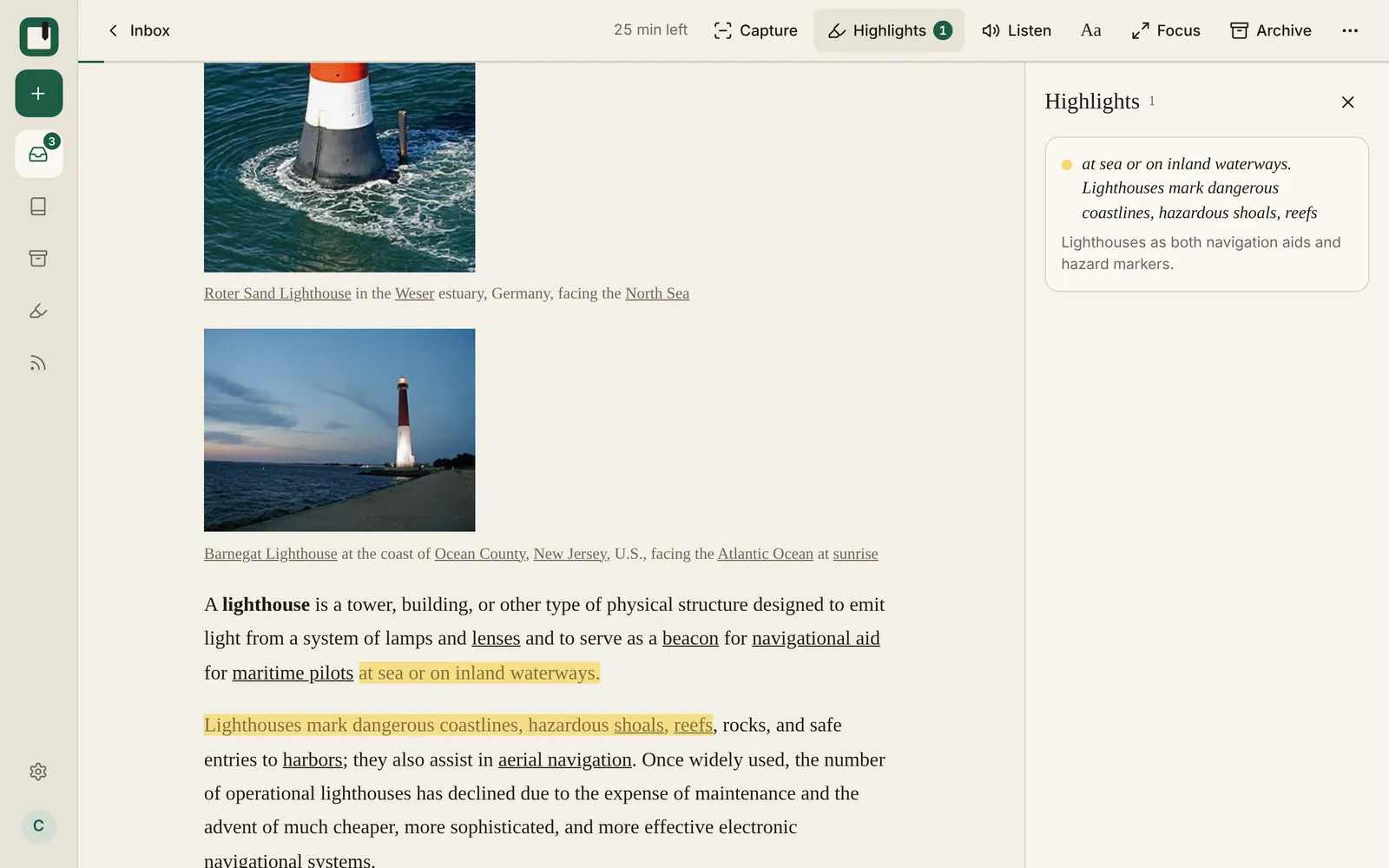
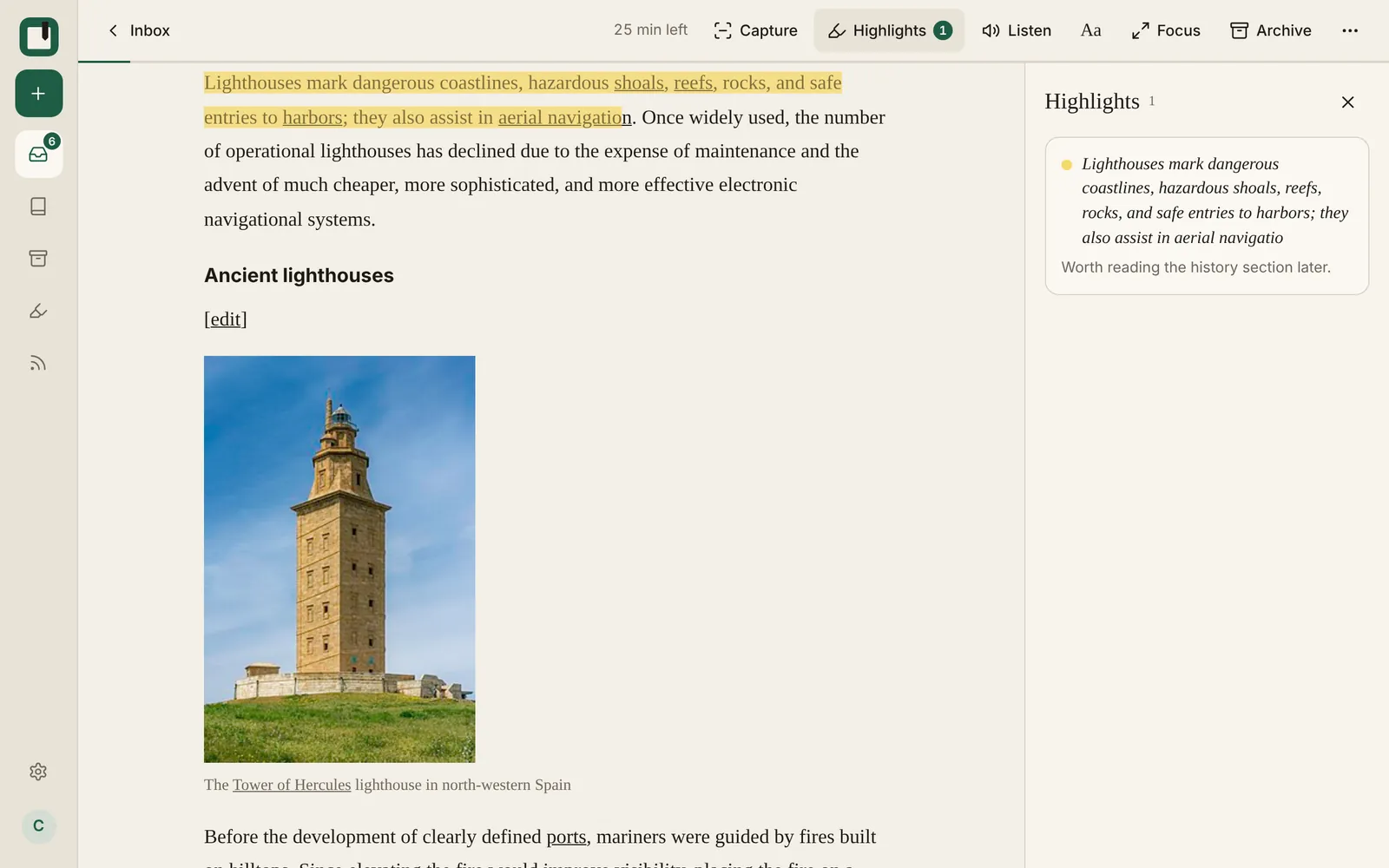
The reader with a highlight and the highlights panel open
New
  • New reader layout. On desktop there is one toolbar across the top and a highlights panel on the right. Click a highlight there to jump to it in the text.
  • The library has a List view and a Cards view. Your choice is remembered per device, and phones start on List.
  • Labels can have a colour. You can rename a label and change its colour in place.
Improved
  • On phones the reader has a bottom bar for highlights, text settings, archive and the next article.

October 12, 2026 v0.11.17

Icons for every item type

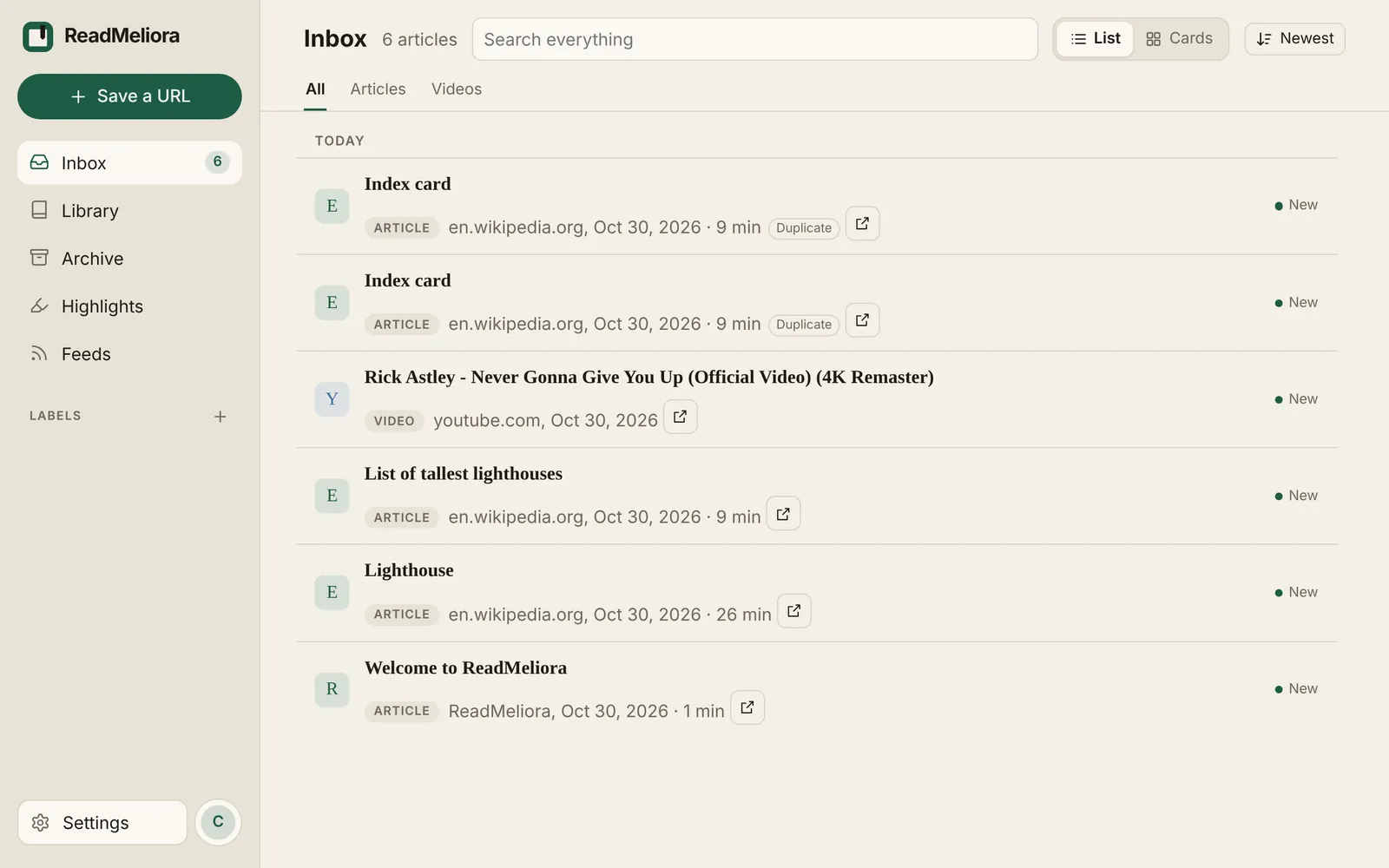
The Inbox list with a type label on each item
New
  • Lists show a small icon and label for each item: article, newsletter, video, PDF, image and so on.
Improved
  • YouTube links in more formats are recognised as videos.
  • The home page now shows a preview of the reader.
Fixed
  • Taking a screenshot of a highlight works more reliably.

October 11, 2026 v0.11.10

Highlight fixes

Fixed
  • Highlights no longer look doubled (darker fill, second border) on some articles and PDFs.
  • Fixed a case where highlights did not show at all.
  • Creating a label with a name you already use now tells you so.

October 3, 2026 v0.11.0

Duplicates, marked

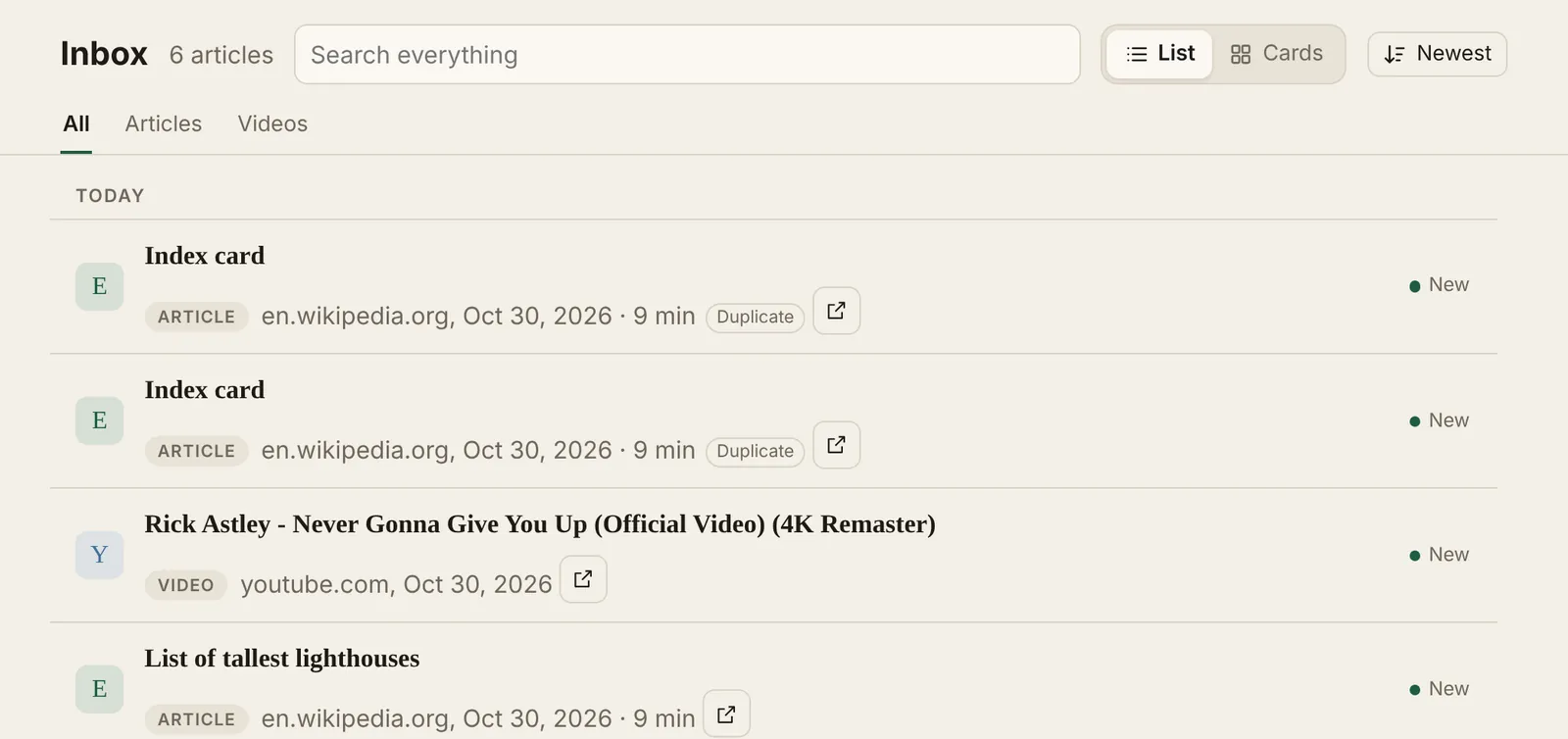
Two copies of the same link, each marked Duplicate
New
  • Uploading the same file twice works like saving the same link twice. Both copies are kept and marked.
  • If you save a link you already have, both copies are kept and marked as duplicates.
Improved
  • Duplicate PDFs and images you uploaded earlier are now marked too.
  • Duplicates get a small label in your lists. The reader links to the other copy.

October 1, 2026 v0.8.7

Faster switching between lists

Improved
  • Switching between Inbox, Library, Archive and Highlights is faster.
  • Reworded some blog posts and help docs, and fixed the Inbox vs Library FAQ.
  • Sign-up buttons on the blog now say Create free account, like the rest of the site.
Fixed
  • Logging out or switching accounts no longer carries over the previous account's highlights.

September 2026

September 30, 2026 v0.7.2

Export your library, and offline reading

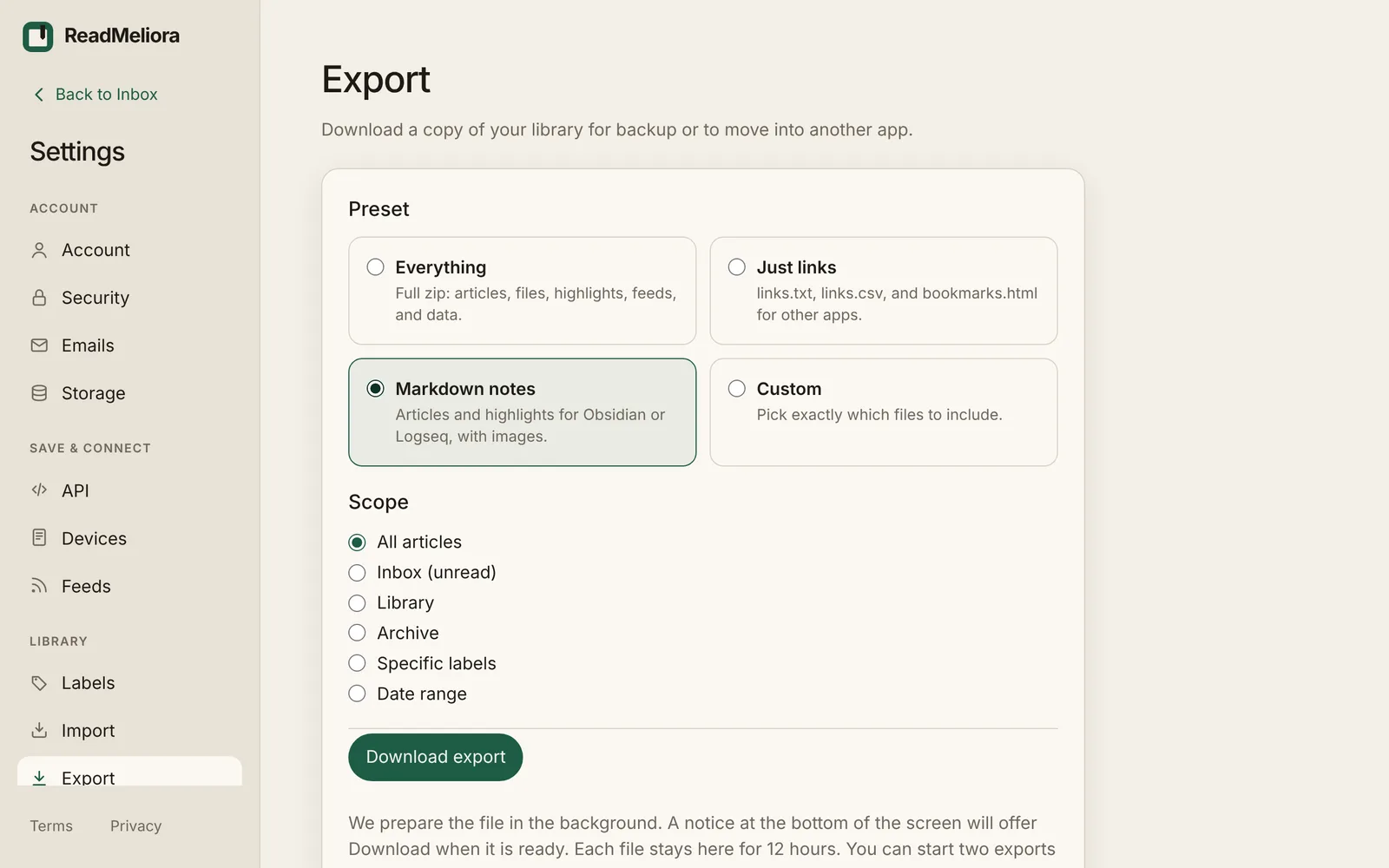
The Export page in Settings
New
  • Export your library from Settings: a full backup, links only, notes for Obsidian or Logseq, or your own mix.
  • Five new blog posts: saving a selection with the Chrome extension, newsletters and feeds in one library, highlights, Inbox and Archive, and reading on Android.
  • Choose how much space offline copies can use on this device, from 25 to 500 MB.
Improved
  • Finished exports stay available for 12 hours, then are removed.

September 29, 2026 v0.5.6

Add ReadMeliora to your home screen

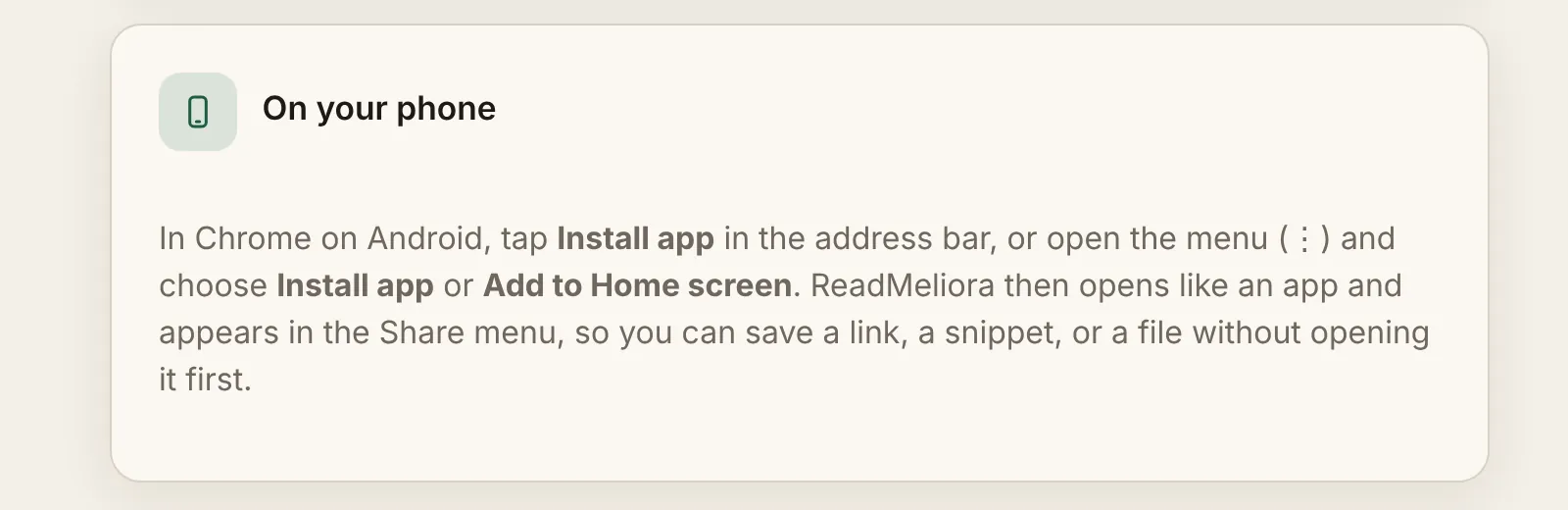
The On your phone section in Settings › Account
New
  • An Install app button on the Account settings page, when your phone browser supports it.
  • Pin an article from the reader to keep its offline copy until you unpin it.
  • You can add ReadMeliora to your home screen, where it opens like an app instead of a browser tab.
  • On Android it also appears in the Share menu, so a link, some text or a file can go straight to your library.

September 27, 2026 v0.3.0

Keyboard shortcuts, select several, and phone layouts

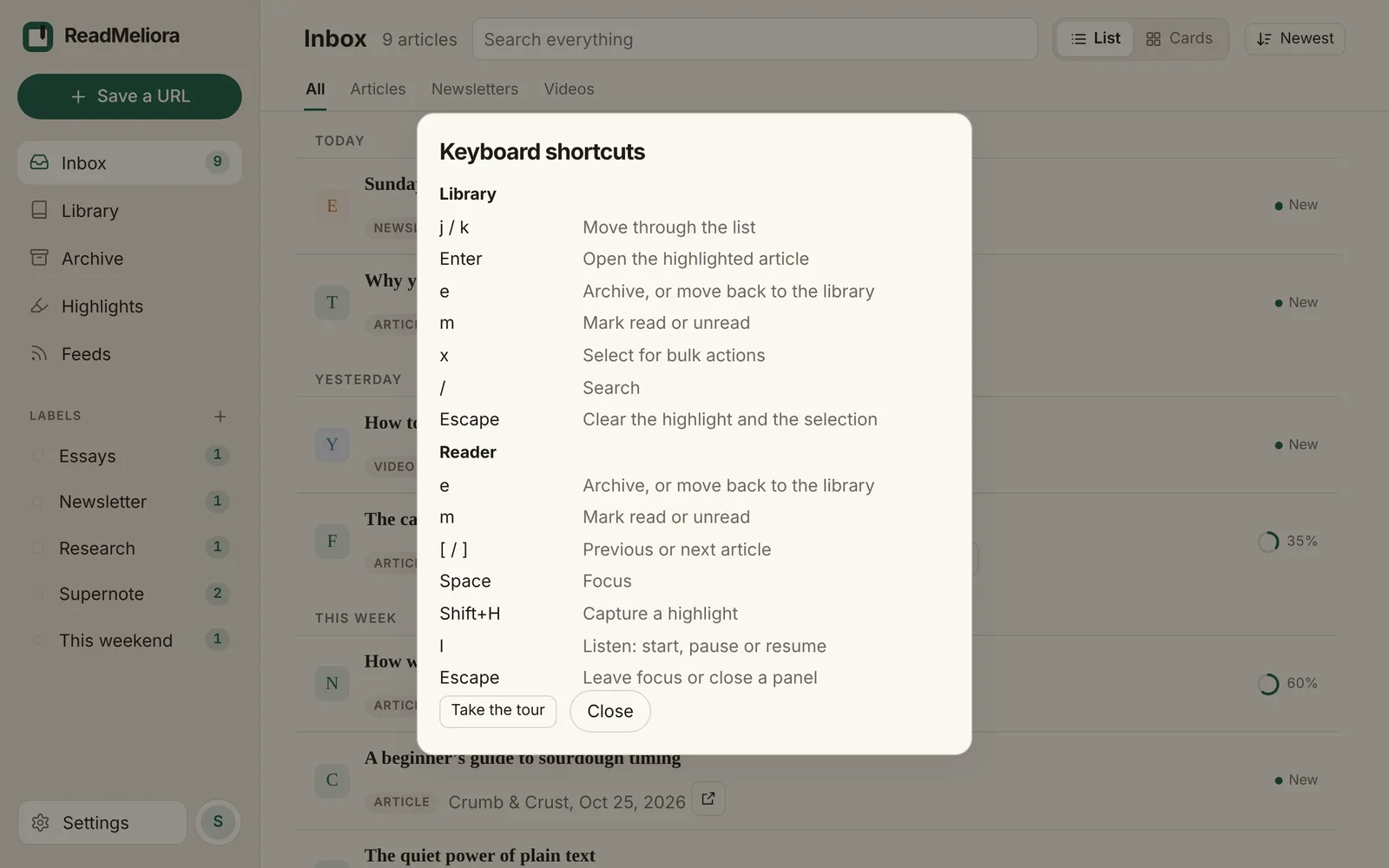
The keyboard shortcuts list
New
  • You can select several articles and archive, label, mark read or delete them together.
  • Keyboard shortcuts in the library and the reader.
  • A Blog section is on the site, starting with “Finally... an Omnivore Alternative.”
Improved
  • Long libraries load a page at a time as you scroll.