Omnivore Alternative: a new home for your Omnivore library
Omnivore closed in November 2024. Its team joined ElevenLabs at the end of October, and the hosted service shut down a few weeks later, with only a short window to export. If you still have that export zip, ReadMeliora can bring your library back, with its highlights and PDFs.
If you didn't get your export in time, we're sorry. As far as we know, there is nothing left on Omnivore's side to recover. The rest of this post can still help you choose where to read next.
After Omnivore and then Pocket both closed, it's fair to be wary of a new app. Below is what we do, what we don't, and how you can leave whenever you like.
Quick verdict
If you kept your Omnivore export, ReadMeliora is the easiest place to bring it. Our Omnivore importer has been tested on real Omnivore exports, and it brings across highlights and PDFs as well as articles.
If you want to run your own server, Wallabag is the open-source choice, and we compare it with ReadMeliora in Wallabag Alternative. If you want AI features and a big paid ecosystem, look at Readwise Reader.
Bring your Omnivore library
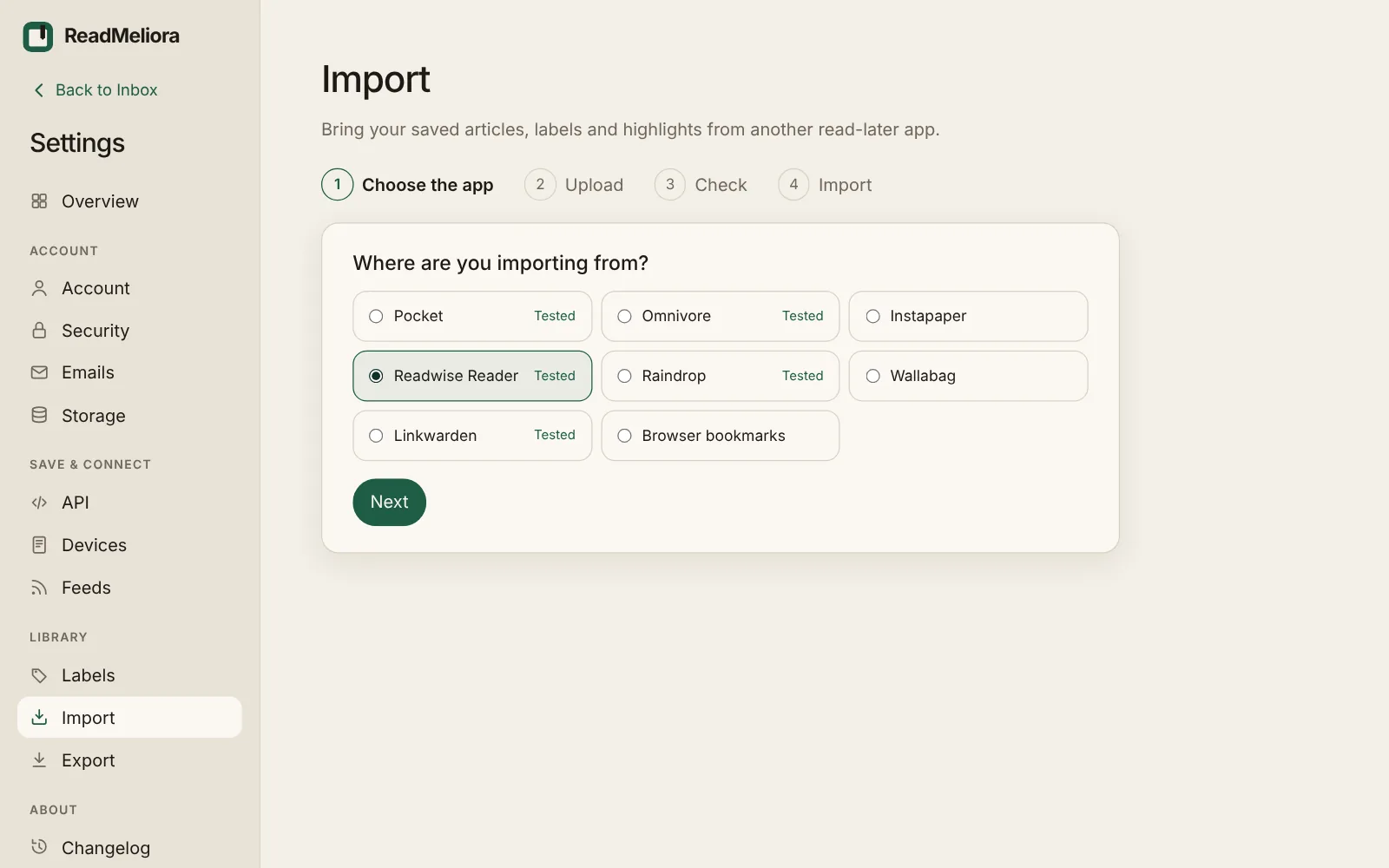
- Open Settings › Import and choose Omnivore.
- Upload the zip file from your Omnivore export as it is. You don't need to unpack it.
- Check the preview. It lists the new articles, your labels, anything you already have, and anything left out, with the reason.
- Choose Import. Articles are added in the background, and you can keep reading while it runs.
What comes across:
- Articles with their text, because Omnivore's export includes it. Pages that have since gone offline still come back.
- Highlights and notes, in the right place in each article.
- PDFs you saved to Omnivore.
- Labels, which you can rename or merge before you import.
- Read and archived status, and the dates you saved things.
Nothing in your library is ever overwritten, and you can undo an import from the same page.
At a glance
| ReadMeliora | Omnivore | |
|---|---|---|
| Status | Active, in beta | Closed November 2024 |
| Price | Always free tier; eventual paid tier | Was free |
| Imports an Omnivore export | Yes, tested on real exports | n/a |
| Newsletters | Forward to your ReadMeliora address | Had its own address |
| RSS and feeds | Yes, under Settings › Feeds | Had feeds |
| Highlights and notes | Unlimited, with tags and a Highlights page | Yes |
| PDFs | Yes, with highlights | Yes |
| Listen (text to speech) | Yes, with your device's voices or a natural voice (experimental) | Yes |
| Export to Obsidian or Logseq | Markdown notes export | Had a plugin |
| Self-hosting | No | Code is open on GitHub, but the hosted app is gone |
What will feel familiar
- Articles, newsletters, feed posts, PDFs, EPUB books and YouTube videos all land in one library.
- Highlight a passage, add a note and tags, and find it again on the Highlights page, by article or by tag. Archiving an article keeps its highlights.
- Your library has its own email address for newsletters, under Settings › Emails. Forward a newsletter to it, or subscribe with it.
- Your Omnivore labels come across as coloured labels.
- Press Listen and your device reads the article aloud, sentence by sentence, and remembers where you stopped.
- Export articles and highlights as Markdown for Obsidian or Logseq under Settings › Export.
What is different
- Opening an article doesn't mark it read. You mark it read when you've finished.
- Rediscover brings a few forgotten saves and old highlights back to the top of your Inbox each day, so your library doesn't turn into a graveyard.
- Pair a Supernote, and your articles sync to it laid out for e-ink, with highlights coming back.
Where we are behind
- There's no native iPhone app yet. On iPhone you add ReadMeliora to the home screen. On Android there's an app, in testing on Google Play, and you can share into it.
- There's no Omnivore-style Obsidian plugin yet. You can export Markdown today. A direct Obsidian sync is in the works.
- You can't host it yourself. If owning the server matters most, use Wallabag.
- We're new, and we can't promise we'll be here forever. We can promise you can export everything, any time, in open formats: a full backup, links, bookmarks, Markdown and highlights.
Frequently asked questions
Can I still export from Omnivore? No. The hosted service closed in November 2024 and its data was deleted. Only exports made before then can be imported.
Do my Omnivore highlights come across? Yes. Highlights and notes come back in place in each article.
Do PDFs come across? Yes. PDFs inside the Omnivore export are imported too.
Is ReadMeliora free? Yes. There will always be a free tier. We plan to add a paid tier as well, so we can be around for a long time.
Try it
Create a free account, open Settings › Import, and see what your Omnivore export brings back before you commit.
Have we got anything wrong? Tell us through the support bubble and we'll correct this article.
Compare ReadMeliora with other read-later apps →
Keep reading
Pocket Alternative: ReadMeliora, a new home for your Pocket list
Pocket is gone. If you kept your export, ReadMeliora can bring it back to life, free.
Instapaper Alternative: ReadMeliora compared with Instapaper
Tired of paying for Instapaper's search and notes? Here's how ReadMeliora compares, and how to bring your library across.
Readwise Reader Alternative: ReadMeliora compared with Readwise Reader
Readwise Reader is a deep, paid reading app with AI and lots of integrations. Here's where ReadMeliora is simpler, and how to bring your Readwise library across.