Rediscover: a read later app that brings your saves back
Every read later app has the same problem. Saving is easy. You tap a button, the article disappears into a list, and you feel a little better about the tab you just closed. Then the list grows, and the things you saved three months ago sink to the bottom and never come up again.
We built ReadMeliora to protect the "save now, read later" habit, and the second half of that habit is the hard part. So today we're adding Rediscover, a small set of picks from your own library that shows up at the top of your Inbox each day.
What Rediscover brings back
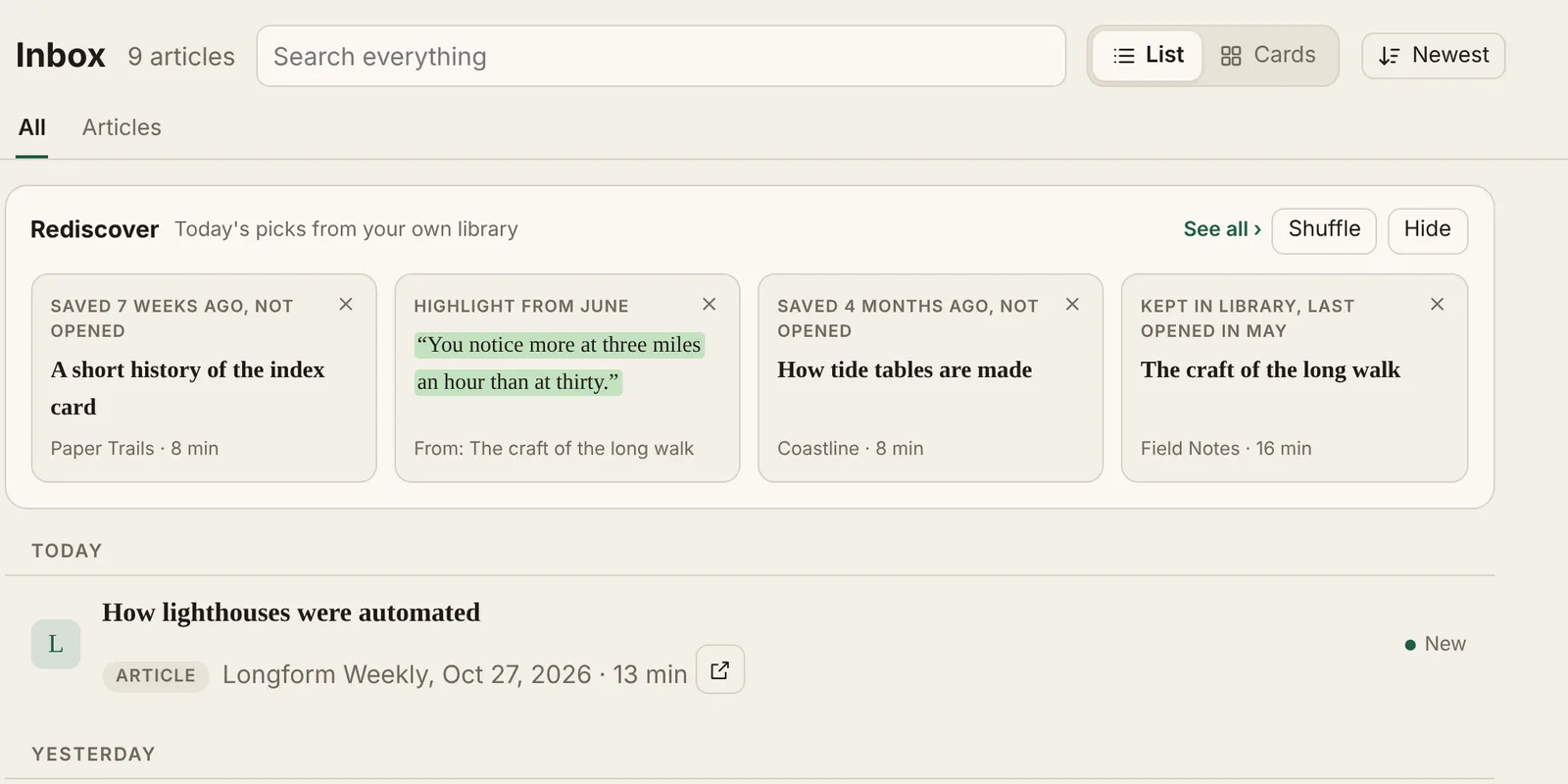
Rediscover only looks at what you saved. There are no trending lists and no suggestions from strangers. Each day it picks from three places:
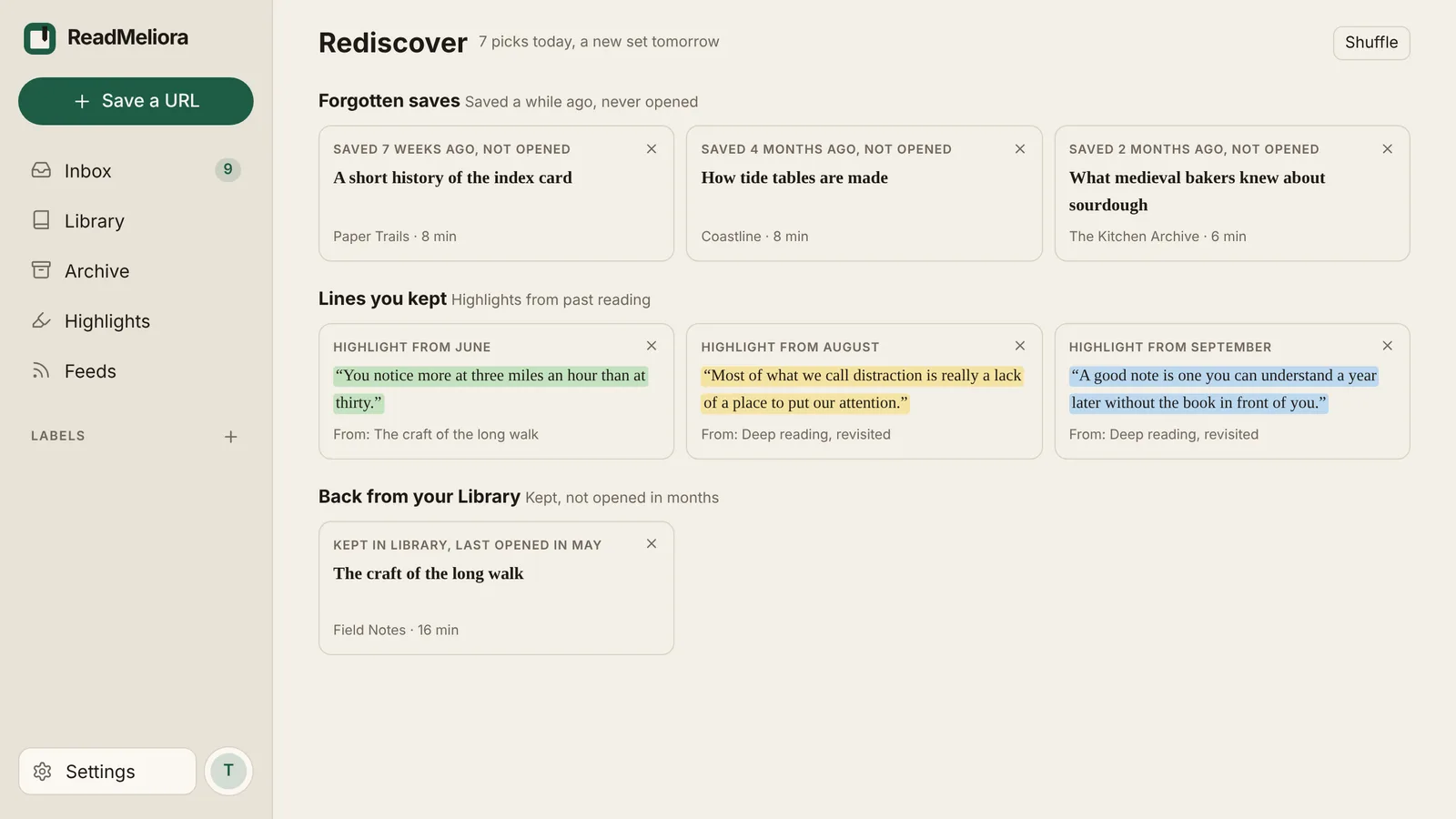
- Forgotten saves. Articles in your Inbox that you saved at least a month ago and never opened. Often these are the ones you were most excited about at the time.
- Lines you kept. Highlights from a couple of weeks back or more, with the colour you gave them. It's a nice way to meet an idea again without rereading the whole piece.
- Back from your Library. Something you finished and chose to keep, but haven't opened in a couple of months.
Every card says why it came back, like "Saved 3 months ago, not opened" or "Highlight from June". You can tell at a glance whether it's something to read now or something to let go.
A new set each day
The strip shows four picks. They stay the same all day, so the Inbox doesn't reshuffle every time you open it. Tomorrow you get a fresh set. If nothing in today's set appeals, press Shuffle for another one.
See all opens the full Rediscover page, where the day's picks are grouped by why they came back.
Say no without guilt
Part of keeping a read-it-later list healthy is admitting that some saves aren't going to happen. Every pick has a small ×. When you tap it, you choose what it means:
- Not now rests the pick for 90 days.
- Never show again leaves it out of Rediscover for good. You can undo this in Settings › Account.
- Archive it moves the article to your Archive. Its highlights stay with it, as they always do. You can read more about that in Inbox, Library, and Archive: unread until you say so.
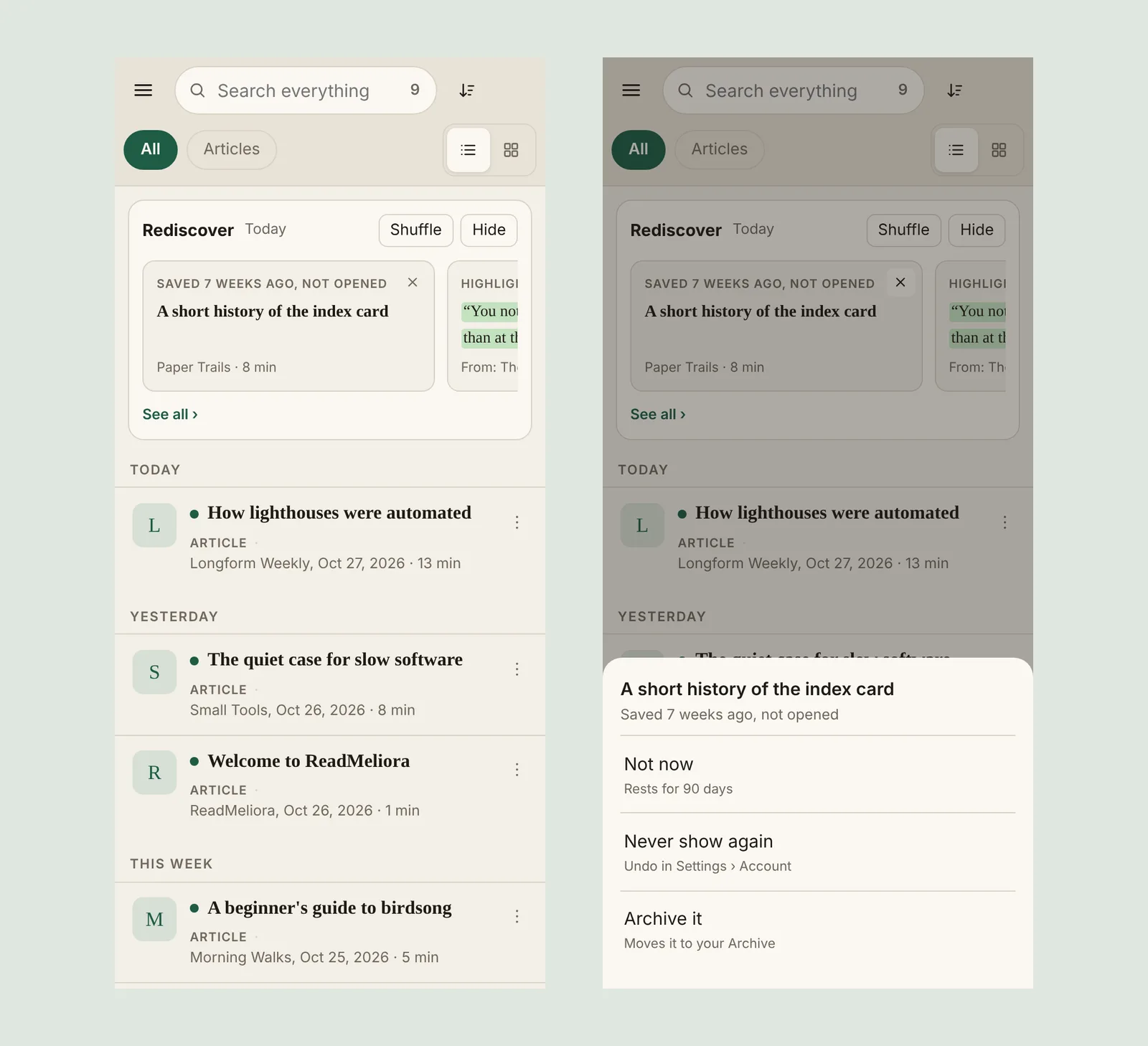
On a phone the cards scroll sideways, and the × opens a sheet from the bottom of the screen.
Quiet by default
We didn't want Rediscover to become one more thing nagging you. It shows nothing until you have something old enough to bring back. It never appears while you're searching or filtering. If you'd rather keep your Inbox plain, press Hide and it folds down to a single row. To turn it off completely, use Settings › Account.
A few things are deliberately left out. Rediscover doesn't send emails or notifications. It doesn't show image highlights. It never marks anything as read for you. Opening a pick is just like opening it from your Inbox: it's read when you say it's read.
Try it today
Rediscover is free for everyone while ReadMeliora is in beta. If you already use ReadMeliora, open your Inbox and it will be there once you have a few older saves. If you're looking for a read later app that helps you actually read what you save, create a free account. Then bring your list over from Pocket, Instapaper, Omnivore or a browser bookmarks file.
Your highlights get more out of Rediscover too, so if you haven't tried them yet, start with Highlights you can find again.
Keep reading
What Instapaper's free plan leaves out, and where to get it free
Instapaper Premium costs $5.99 a month. Here is exactly what the free plan leaves out, what Premium adds, and which of those you can get free elsewhere.
How to move from Instapaper to ReadMeliora
Export a CSV from Instapaper, import it into ReadMeliora, and check what comes across before anything is saved. Here is every step.
How to read YouTube videos as text, with a synced transcript
Save a YouTube video with its transcript, read it like an article, highlight the good parts and search it later. Here is how, free.